Opus Clip Review: Is It Worth It?
Opus Clip review with ratings from four platforms: App Store 4.9, G2 4.6, Product Hunt 4.5, Trustpilot 4.0. What it does well and where it misses.

Opus Clip is worth it if you already have long videos to cut. It rates 4.0 to 4.9 out of 5 across four review platforms. Users love how fast it turns one long video into captioned Shorts. Most complaints are about credits, billing, and slow support. If you have no long video, it is the wrong tool, and we say what to use near the end.
Key takeaways
| What users love | What frustrates them | Rating | Best for |
|---|---|---|---|
| One long video becomes many Shorts in minutes | Credits are charged on the source video, used or not | 4.9/5 on the App Store (9.7K ratings) | Podcasters and interview shows |
| Animated captions and auto reframing | Clip picks can miss, so you still review | 4.6/5 on G2 (124 reviews) | Creators with a back catalog |
| Posting to many platforms from one place | Billing disputes and slow support replies | 4.0/5 on Trustpilot (522 reviews) | Teams that post clips daily |
What is Opus Clip?
Opus Clip is an AI clipping tool. The company spells it OpusClip, and most people search for it as two words. You paste a video link or upload a file. It finds the strongest moments, crops them to vertical, adds animated captions, and scores each clip for how likely it is to spread.
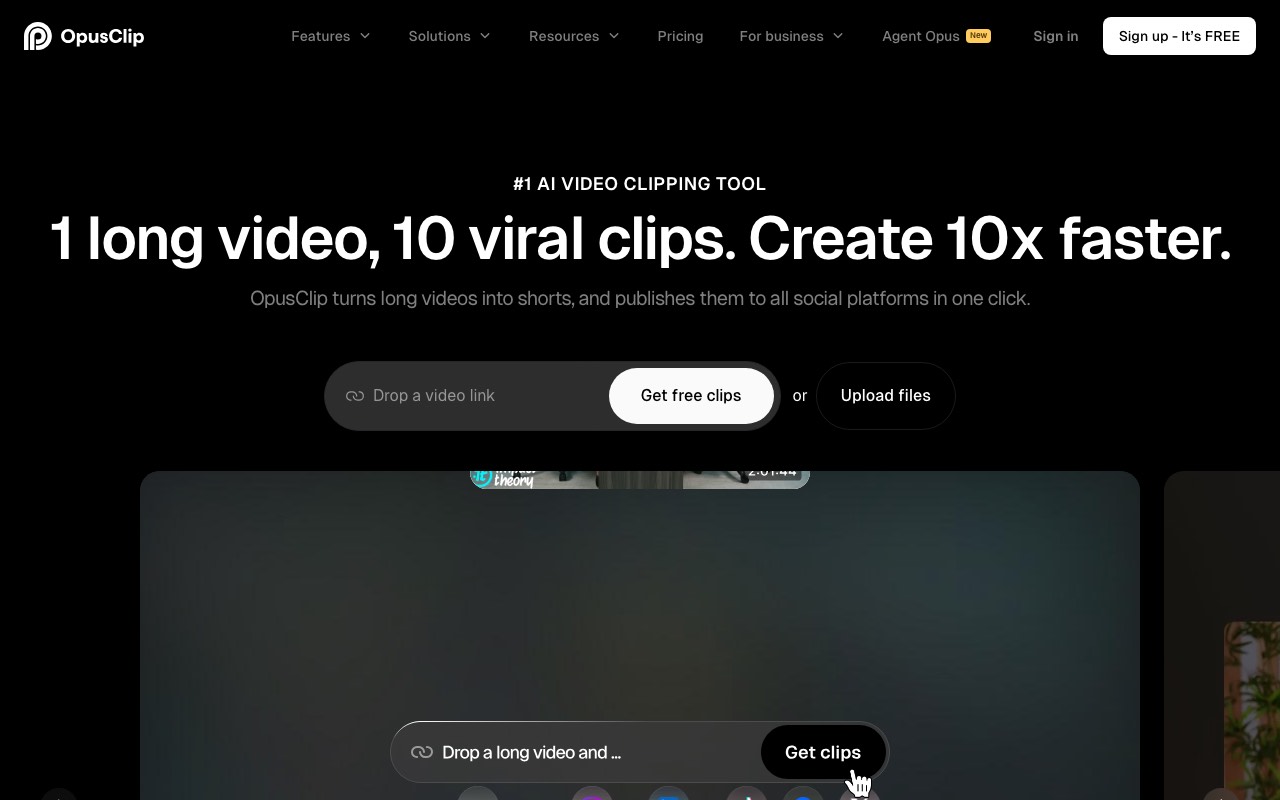
The key fact for buyers is the input. Opus Clip needs a video that already exists. A podcast episode, a webinar, a stream, or a vlog all work. Its homepage says the ClipAnything model handles any genre, and the Pro plan pulls video from YouTube, Google Drive, Vimeo, Zoom, Twitch, and more.
It has grown past pure clipping. Paid plans add an editor, filler-word removal, AI B-roll, a social scheduler, and posting to YouTube Shorts, TikTok, and Instagram Reels. The same company also sells Agent Opus, a separate tool that makes videos from an idea or an audio file. This review is about the clipper.
Opus Clip ratings across platforms
We read every score below on the platform’s own page.
| Platform | Rating | Reviews | Link |
|---|---|---|---|
| App Store | 4.9/5 | 9,700 ratings | App Store |
| G2 | 4.6/5 | 124 | G2 |
| Product Hunt | 4.5/5 | 78 | Product Hunt |
| Trustpilot | 4.0/5 | 522 | Trustpilot |
Ratings and prices in this review were checked on 16 November 2026.
The Trustpilot score hides a split. On that page, 63% of reviewers give five stars and 20% give one star. Very few sit in the middle. People who clip videos tend to be happy. Many of the one-star reviews are about a charge, a cancellation, or a support ticket.
Opus Clip has claimed its Trustpilot profile. Trustpilot says the company replied to 98% of negative reviews, mostly within 24 hours. That counts in its favor, though several reviewers say the reply did not fix the problem.
We could not read Capterra. Its page stopped at a security check, so we left that score out.
What users like
Speed comes first in almost every positive review. People upload an hour of video and get a batch of captioned Shorts back in minutes. Product Hunt reviewers say it works best on talking-head videos such as podcasts and interviews.
Captions and framing get the next most praise. The tool keeps the speaker in the frame and adds animated captions with no manual work. One Trustpilot reviewer who used to edit for a living called the editing process “one of the easiest and most intuitive.”
Posting is the third thing people praise. Trustpilot reviewers like sending one clip to many platforms from one screen, with a caption and hashtags already written.
We agree with the fans on the core job. For a podcaster with a back catalog, we think Opus Clip is the first clipper to try.
Common complaints
Credits cause the most confusion. Opus Clip charges 1 credit for each minute of the video you import, according to its help center. A 30-minute upload costs 30 credits even if you keep one clip. A Trustpilot reviewer said bad audio forced three uploads of the same video, and each one used credits. You can cut the bill with the processing timeframe slider, which limits how much of the video gets scanned.
Clip picks can miss. Product Hunt’s review summary says clip quality is uneven and that captions and templates need more control. The Virality Score is a guess. Plan to watch each clip before you post it.
Billing draws the angriest reviews. Recent Trustpilot reviewers describe charges after they cancelled. One said the price shown before sign-up was lower than the price at checkout. Another disliked that credits on a yearly plan expire after 12 months. We have not tested these claims, so read them as user reports.
Support is the last theme, and reviewers split on it. Some praise a fast, kind reply. Others waited days or got stuck with a chat bot. The compare table on the pricing page lists Discord and AI chat as support for Free and Starter, with live chat from Pro up.
Opus Clip pricing at a glance
OpusClip prices by country, and we read its pricing page from India. Your local price may differ, so treat these as a guide.
| Plan | Price we saw | Credits | What to know |
|---|---|---|---|
| OpusClip Free | $0 | 60 a month | Watermark, no editing, clips expire after 3 days |
| OpusClip Starter | $9 a month, with $15 struck through | 150 a month | Monthly billing only, no watermark |
| OpusClip Pro | $9.50 a month, billed as $114 a year, with $29 struck through | 3,600 over 12 months | 2 seats, scheduler, AI B-roll, more import sources |
| OpusClip Business | Custom | Custom | API, priority processing, dedicated support |
One detail on the page confused us. The compare table further down heads the OpusClip Pro column at $19 a month. That matches neither the $9.50 nor the $29 in the OpusClip Pro plan card. Check the checkout total before you pay.
The credit math is simple once you know the rule. OpusClip Starter gives 150 credits, which covers 150 minutes of source video a month. That is two and a half hour-long episodes. The OpusClip Free plan covers one hour-long video. Monthly credits expire after 60 days, and posting a clip to X costs 3 credits per account.
Opus Clip pros and cons
What we like:
- It turns one long video into many Shorts in minutes.
- Captions, reframing, and a scheduler come in one tool.
- The free plan is a fair test, with 60 credits a month and no card.
- It imports from many sources on Pro, and it has an API and an MCP connector.
- The company answers nearly every negative Trustpilot review.
What we do not like:
- Credits are charged on source minutes, so long videos drain a plan fast.
- Free clips carry a watermark and cannot be exported after 3 days.
- Billing and cancellation complaints keep showing up on Trustpilot.
- Starter and Free users get no live chat support.
- It needs a video to start from, so it cannot help a channel with nothing filmed.
Who should use Opus Clip (and who should not)
Buy it if you record long videos every week. Podcasters, streamers, coaches, and webinar teams get the most from it. One recording becomes a week of Shorts, and the scheduler posts them for you.
It also fits agencies that clip for clients. Pro adds team seats, brand templates, and exports to Premiere Pro and DaVinci Resolve.
Skip it if you want full control over every cut. Reviewers say the editor is basic next to a real editing app. A tool like Vizard or Klap does a similar job, so compare them on price for your country.
And skip it if you have no long video. That reader needs a different kind of tool.
If you have no long video
A clipper cuts. It cannot make a Short from nothing. If your channel is faceless, or you have an idea and no footage, you need a generator.

AITuber is our own tool, so weigh this part with that in mind. It does the opposite job to Opus Clip. You type a topic or paste a script into the AI YouTube Shorts generator. AITuber writes the script, makes a visual for each line, records the voice, and adds captions timed to each word. The Short comes out in 9:16.
AITuber is not a clipper. It will not take a finished MP4 or a YouTube link and cut it into Shorts. If you have a long video, Opus Clip is the better pick, and we’d say so to any podcaster.
OpusClip’s maker has its own generator too, called Agent Opus. Its help center prices a Standard video at 1 credit per second. We have not tested it, so we will not rank it here.
AITuber is free to start with 100 credits and no card. AITuber Creator is $39 a month for 2,500 credits. A 30-second Short with AI images uses about 35 credits, so Creator covers about 71 of them a month. See the full pricing.
Shorts made with AITuber
From the public AITuber catalog. Each one started as a single prompt, with no footage uploaded.
Opus Clip vs AITuber
| Feature | Opus Clip | AITuber |
|---|---|---|
| Core job | Long video in, short clips out | Idea or script in, finished Short out |
| What you need to start | A video you already made | A topic, a script, a link, or a PDF |
| Script writing | No, it uses your words | Yes |
| Voiceover | Your own audio, with AI voice-over as an add-on | Built in, 1,300+ voices |
| Captions | Animated, auto-made | Word-synced on every video |
| Posting | YouTube Shorts, TikTok, Reels, and more | YouTube, TikTok, Instagram, and more on paid plans |
| Free plan | 60 credits a month, watermark | AITuber gives 100 credits, no card |
| Starting price | OpusClip Starter, $9 a month seen from India | AITuber Creator, $39 a month |
Opus Clip wins when the video exists. AITuber wins when it does not. Plenty of channels could use both: clip the podcast with one, and fill the gaps between episodes with the other. Our guide to the best AI content repurposing tools sorts more tools by what you start with.
Frequently Asked Questions
Basics
Is Opus Clip worth it?
Yes, if you have long videos to cut. It rates 4.0 to 4.9 out of 5 across four platforms, and users praise its speed and captions. It is not worth it if you have no footage, because it only clips videos that already exist.
Is Opus Clip legit?
Yes. It is a real product with 9,700 App Store ratings and a claimed Trustpilot profile. The risk reviewers describe is billing: charges after cancelling and credits that expire. Read the plan terms before you subscribe.
What does Opus Clip do?
It takes one long video and cuts it into short vertical clips. It adds captions, crops to 9:16, scores each clip, and can post the clips to social platforms.
Reviews and ratings
What is Opus Clip’s rating?
Across four platforms: App Store 4.9/5 (9,700 ratings), G2 4.6/5 (124 reviews), Product Hunt 4.5/5 (78 reviews), and Trustpilot 4.0/5 (522 reviews). The simple average is 4.5.
What do users complain about most?
Credits and billing. Opus Clip charges credits for every minute of video you import, and some reviewers report charges after cancelling. Slow support replies come up often too.
Are Opus Clip’s clip picks accurate?
Often, but not always. Reviewers say it does best on talking-head videos such as podcasts. Product Hunt’s review summary calls clip quality uneven, so watch each clip before you post.
Pricing
Is Opus Clip free?
There is a free plan with 60 credits a month. Free clips have a watermark, cannot be edited, and cannot be exported after 3 days.
How do Opus Clip credits work?
One credit covers one minute of the video you import. A 30-minute video costs 30 credits, no matter how many clips you keep. Monthly credits expire after 60 days.
Comparisons
Is Opus Clip better than AITuber?
They do different jobs. Opus Clip cuts a long video into Shorts. AITuber makes a new Short from an idea or script. Pick by what you start with.
What is the best Opus Clip alternative if I have no long video?
Use a generator. AITuber turns a topic into a finished Short with a script, voice, visuals, and captions. It gives 100 free credits with no card.
Final verdict
Opus Clip is a good clipper with a strict meter. Buy it if you record long videos and want Shorts from them without editing. Start on the free plan, run one real episode, and see how many of the clips you would post. Before you pay, check the price at checkout and trim your uploads so credits last.
We’d skip it only in two cases: you want frame-level control, or you have nothing to clip.
How we researched this: ratings come from the App Store, G2, Product Hunt, and Trustpilot, and prices and credit rules come from OpusClip’s own pricing page and help center, all read on 16 November 2026. We did not run a hands-on test of Opus Clip for this review, and we could not load Capterra. User complaints are reports from public reviews that we have not verified. OpusClip prices by country, and we saw its prices from India. AITuber is a product we build, so we have said where Opus Clip is the better pick. Prices and plans change often; check the vendor’s site before you buy.