One Locked Camera
Every stage is drawn from the same angle. The ground, the sky, and the street stay put, so only the build changes. That is what makes a timelapse feel real.
Type what the place is now and what it becomes. AI draws every stage of the build, keeps the camera still, adds music and work sounds, and ends on the finished place full of life.
A photo, a drawing, or a render all work. We draw every step between them and keep the camera still. JPG, PNG, or WebP.
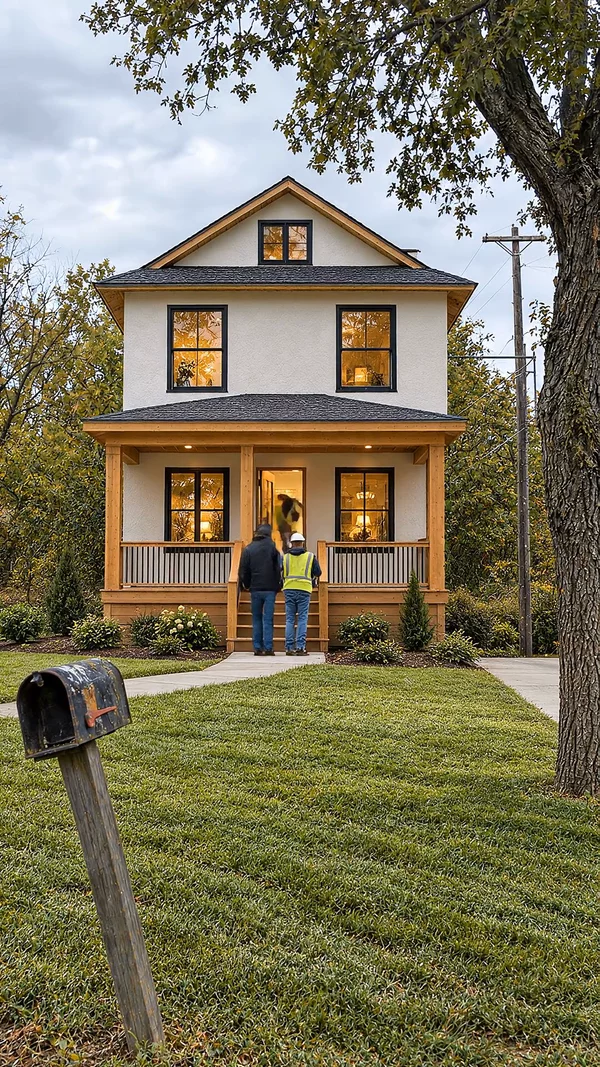
Sample video. Your result depends on your prompt, your photos, and the quality you pick.
Every one of these was generated from a single prompt. No camera, no editing.
No editing skills. No complex software. Just describe what you want.
Type what the place is now and what it becomes, like "an empty plot becomes a two-story house". Add a Before or After photo if you have one.
AI plans the stages of the build, draws each one from the same still camera, and animates the work between them with music and real work sounds.
Get a 15 to 60 second video in vertical or wide format. Download the MP4, or post it to a connected channel from the app.
Professional tools, zero learning curve.
Every stage is drawn from the same angle. The ground, the sky, and the street stay put, so only the build changes. That is what makes a timelapse feel real.
AI plans the steps in order: clearing, ground work, frame, walls, roof, and finish. You see real progress, not a jump cut from empty to done.
The last seconds always show people using the finished place. Swimmers in the pool, cars on the road, kids in the park. The payoff is what gets shared.
One music track runs through the whole video, and each clip keeps its own work sounds: hammers, machines, and water. There is no voiceover.
Add a Before photo to start from a real site. Add an After photo or a render to end on your design. Or use a prompt only.
Pick the length. Short builds suit Shorts and Reels. Longer ones show more stages. The finished video is about as long as you pick.
Make it 9:16 for TikTok, Shorts, and Reels, or 16:9 for YouTube and project presentations.
Turn on the thumbnail option and get a split cover built from two real frames of your video: the finished place and how it started.
An AI construction timelapse is a short video of one place being built. The camera never moves. An empty lot turns into a house, a backyard turns into a pool, or a dump turns into a park. You see every stage: the ground work, the frame, the walls, and the finish. In the last few seconds, people use the new place.
These videos do well on TikTok, YouTube Shorts, and Reels. The camera stays still, so the eye locks on the change. Viewers wait for the reveal, and many watch twice. The format needs no voice and no captions, so it works in any language.
Most people make these with four or five tools. They draw the stills in one app, animate each pair of frames in another, and join the clips in an editor. AITuber does all of it from one prompt. It plans the stages, draws a still for each one at the same camera angle, animates the steps between them, and adds music and the sounds of the work. If you have a photo or a render of the site, add it as the first or last frame.
With AITuber it takes one prompt. Say what the place is now and what it becomes, pick a length from 15 to 60 seconds, and click Generate.
The usual way takes much longer. You draw an empty site, a half-built site, and a finished site in an image tool. Then you keep the angle the same in every picture, which is the hard part. Next you animate each pair of pictures in a first-to-last-frame video tool. Last, you join the clips and add sound in an editor.
AITuber does each of those steps for you. Every still after the first is drawn from the one before it, so the camera does not drift between cuts. If you want to control one stage by hand, the first frame to last frame generator animates a single pair of pictures.
Yes. Open Reference Images and add your render as the After picture. It becomes the last frame of the video. AI then works backward to an empty site and draws the build up to your design.
Architects, builders, and developers use this to show a project before ground is broken. A drawing or a 3D render works as well as a photo. The place does not have to exist yet. For homes, the house building timelapse generator has house-only examples.
Add a Before photo of the real site too, and the video starts from the actual lot. Both photos are free. They replace stills that AI would otherwise draw.
A big, clear change in one still frame. The best videos start somewhere that looks hopeless: a flooded lot, a trash heap, a bare hill. Then they end somewhere people want to be.
The ending matters most. A finished place standing empty feels flat. A finished place with kids in the pool or cars on the new road feels alive, and that is the frame people share. AITuber always ends on the place in use for this reason.
Keep the video short. A 20 to 40 second build fits Shorts and Reels well, because the middle stages go by fast and the reveal comes before people scroll away.
Say where it starts and where it ends in one sentence. "An empty dirt plot becomes a two-story house with a porch" gives the AI a clear first and last frame. "Build a house" does not.
The bigger the gap, the better the reveal. A trash heap, a flooded lot, or a bare hill makes the finished place feel earned.
The camera never moves, so everything must happen in one spot. Skip people, plots, and jokes. Describe the site and what gets built on it.
Name the things that make the finish feel real: a porch, string lights, painted lanes, a stone patio. Specific details make each stage easier to follow.
Pick 30 seconds for TikTok, Shorts, and Reels, so the reveal lands before people scroll. Save 60 seconds for YouTube or a client presentation.
It is a short video of one place being built, made by AI instead of a camera on a real site. The camera stays still while an empty or messy place turns into a finished one, stage by stage. It ends with people using the new place.
No. AI draws every stage from your prompt, so you need no camera, no site, and no months of waiting. If you do have photos of a real site, you can add them as the first or last frame.
You write one sentence and click Generate. The video renders in the background, and the app tells you when it is ready. Longer videos and higher quality take longer.
Yes. Open Reference Images under the prompt box. A Before picture becomes the first frame and an After picture becomes the last frame. A photo, a drawing, or a 3D render all work. Uploaded pictures cost nothing.
Any single place that changes. Houses, pools, roads, parks, gardens, shops, kitchens, and bunkers all work. The prompt must describe a place. A prompt about a person, a lecture, or a product review will not generate.
No. This video type has no narration and no captions. You hear one background track that AI picks for the build, plus the sounds of the work in each clip. That also means it works for any language.
From 15 seconds to 1 minute. The finished video is about as long as the length you pick. Longer videos show more stages of the build.
Cost depends on the length and the quality. Video costs 8 credits per second on Basic, 13 on Good, and 15 on Premium. Each still that AI draws adds 10 credits, and photos you upload are free. The app shows the exact total before you generate, and failed videos refund automatically.
Use 9:16 vertical for TikTok, YouTube Shorts, and Instagram Reels. Use 16:9 wide for YouTube videos, websites, and client presentations.
Yes. Add a render of the finished project as the After picture, and the video builds up to your design from an empty site. It is a quick way to show a client what a project will look like before work starts.
Create videos for other popular niches
Join 75,059+ creators using AITuber to make professional construction timelapse videos with AI.
No credit card required