Pollo AI Review: Is the Pixar Video Generator Good?
Pollo AI reviews from four platforms: G2 4.7, Capterra 4.9, Trustpilot 4.3, App Store 4.5. What users love, the credit-cost catch, and who it fits.

Pollo AI rates between 4.3 and 4.9 out of 5 across G2, Capterra, Trustpilot, and the App Store. Users love how easy the multi-model suite is to use. Their most consistent complaint is what it costs to keep generating. Here is what real reviewers say, with the numbers to back it up, plus a close look at the Pixar video generator that brings most people to it.
Key takeaways
| What users love | What frustrates them | Rating | Best for |
|---|---|---|---|
| Easy interface, fast results | Credits drain fast on top models | 4.7/5 on G2 (87 reviews) | Quick photo-to-video clips |
| Many AI models in one subscription | Paying for a plan, then paying again for credits | 4.5/5 on the App Store (13K ratings) | Testing different video models |
| Support that actually replies | Flash-sale pricing that hides the standing price | 4.3/5 on Trustpilot (4,929 reviews) | Pixar style photo animations |
What is Pollo AI?
Pollo AI is a multi-model AI video and image platform. One subscription buys access to many third-party video models plus Pollo’s own, behind one interface. You can generate video from text, animate a photo, or restyle existing footage. On top of that engine it publishes dedicated tool pages for specific looks, and the busiest one is the Pixar AI video generator. The iOS app is published by Cocosoft Technology and has 13,000 ratings on the App Store.
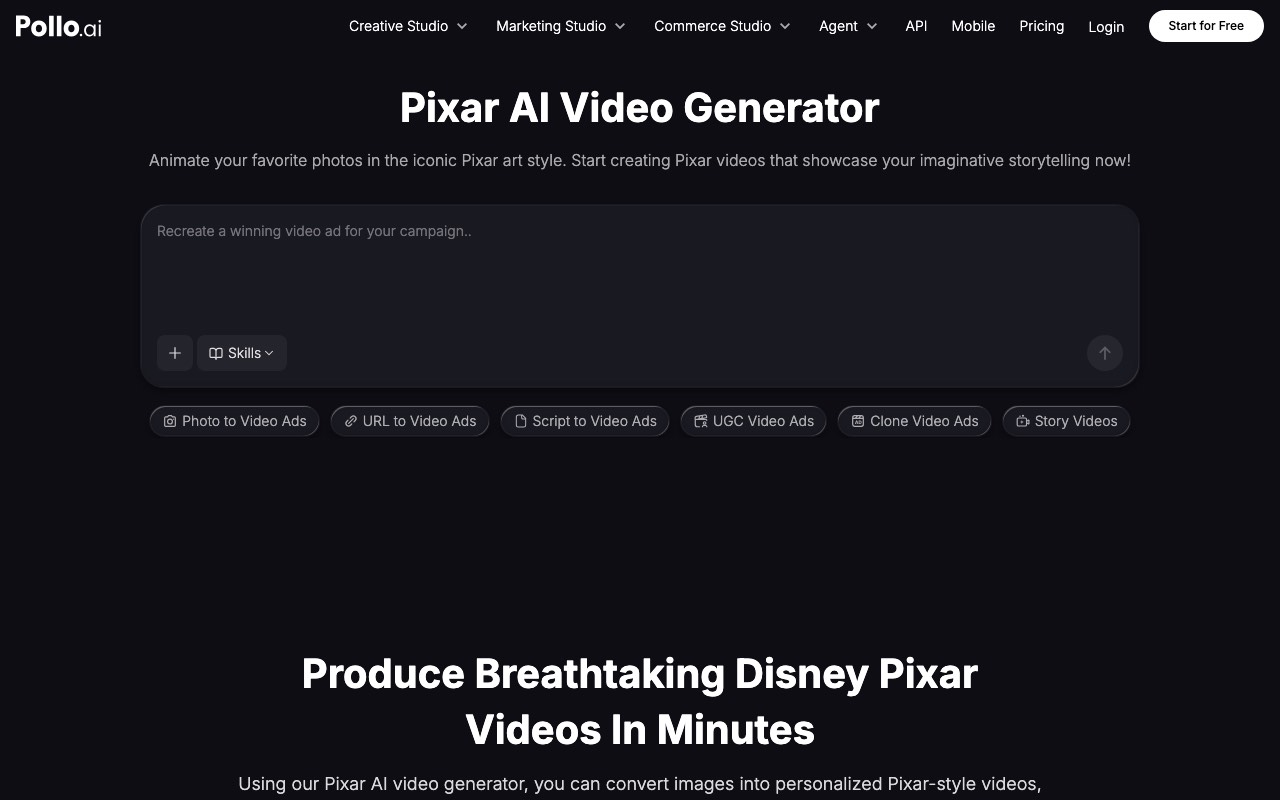
The Pixar video generator, up close
This is the feature most people search for, so we start here. You upload a photo, and Pollo returns a short clip of it animated in a soft 3D style: rounded forms, big eyes, warm lighting. It also takes text prompts if you have no photo. It is genuinely the fastest photo-to-Pixar-style route we have tested, with very little to learn.
Three things to know before you build anything on it:
- The output is a clip, not a video. You get seconds of animation. Narration, captions, and editing are still your job.
- The style is an imitation, not a license. Pixar is a Disney trademark. No tool can legally give you its characters, and Pollo does not claim to. Style is fine; characters are not. We cover the copyright line in our Pixar style AI video generator guide.
- Credits are shared. Video and image generation pull from one balance, so heavy image use eats your video budget.
If you want ready-made prompts for this look, our Pixar style prompt library works in Pollo and every other tool in the category.
Pollo AI ratings across platforms
Every score below is real and sourced. G2 and Capterra were read on 9 August 2026; Trustpilot and the App Store on 14 August 2026.
| Platform | Rating | Reviews | Link |
|---|---|---|---|
| Capterra | 4.9/5 | 124 | Capterra |
| G2 | 4.7/5 | 87 | G2 |
| App Store | 4.5/5 | 13,000 | App Store |
| Trustpilot | 4.3/5 | 4,929 | Trustpilot |
Two details behind the headline numbers are worth knowing.
The distribution is healthy. On G2, 80% of reviewers give five stars and only 1% give one. The Trustpilot profile is claimed, and the company replies to reviews, including the critical ones.
One sub-score sags. Capterra breaks its 4.9 into parts: Ease of Use 5.0, Features 5.0, Customer Service 4.8, and Value for Money 4.0. Reviewers rate the product higher than the price. That gap is the single most useful fact in this review, and the complaints below explain it.
What users like
- It is easy. The most repeated praise across all four platforms. One Trustpilot reviewer calls it “very easy to navigate” compared with competitors.
- Many models, one bill. App Store reviewers highlight getting “access to multiple AI models in one place” instead of juggling subscriptions.
- Fast, impressive first results. Photo-to-video clips generate quickly, and first-try quality is what earns the five-star reviews.
- Support responds. Capterra scores Customer Service 4.8, and Trustpilot shows company replies on recent reviews.
Common complaints
- Credits go fast. A Trustpilot reviewer warns that top-quality videos “can eat the tokens quickly.” Premium models burn multiples of the base credit rate.
- Paying twice. The sharpest App Store criticism: you buy a subscription, then find you “have to pay even more for credits” for the models you actually wanted.
- Sale pricing hides the standing price. When we read the pricing page, a countdown flash sale was running and every listed price was annual billing. The monthly price only appears after operating the billing toggle.
- Failed generations sting. Some App Store reviewers report failed or poor generations that still consumed paid credits.
Pollo AI pricing at a glance
We read these prices off the live pricing page on 9 August 2026, during an active flash sale. All listed prices are for annual billing. Lite is $15/mo with 300 credits. Pro is $29/mo with 800 credits. Ultra is $139/mo with 5,000 credits. Monthly billing costs more. A free tier exists and is watermarked. Third-party aggregator sites listed different prices that did not match the live page, so check the page itself before buying.
Pollo AI pros and cons
Pros
- Easiest photo-to-animated-clip workflow in its category
- One subscription covers many third-party models
- Strong, consistent ratings with a healthy distribution
- Claimed, actively answered Trustpilot profile
- Cheapest entry point among Pixar style restylers at $15/mo annual
Cons
- Output is short clips; a finished video still needs narration, captions, and editing elsewhere
- Credits are shared between video and image and drain fast on premium models
- Flash-sale, annual-first pricing makes the real cost hard to read
- Value for Money is its weakest verified sub-score at 4.0
Who should use Pollo AI (and who should not)
- Good fit: creators who want one photo turned into a shareable animated clip today, with no learning curve.
- Good fit: tinkerers who want to test many video models without buying separate subscriptions.
- Poor fit: anyone who needs a finished, narrated, captioned video. Pollo hands you a clip, not a publishable video.
- Poor fit: budget-first creators who hate credit math. The pricing model rewards people who track their usage.
Pollo AI vs AITuber
These two tools solve different problems, and pretending otherwise would not help you.
| Feature | Pollo AI | AITuber |
|---|---|---|
| Core job | Photo or prompt to short clip | Idea or script to finished video |
| Pixar style look | Dedicated generator page | 3D Cartoon style built in |
| Narration and captions | No | Yes, word-synced |
| Output length | Short clips | Full-length videos |
| Publishing | Manual download | Autopilot to YouTube, TikTok, and more |
| Starting price | $15/mo billed yearly | $29/mo |
| Free tier | Watermarked | No watermark |
Where Pollo wins: animating a single photo fast, and model variety. Where AITuber wins: leaving the tool with a video you can actually publish, narrated and captioned, in the same 3D cartoon family of styles through the AI 3D video generator. If you make story videos on a schedule, that difference is the whole decision.
Frequently Asked Questions
Basics
Is Pollo AI good?
Yes, by the numbers. It holds 4.7/5 on G2, 4.9/5 on Capterra, 4.5/5 on the App Store, and 4.3/5 on Trustpilot as of August 2026. Users praise the ease of use; the recurring complaint is credit costs.
Is Pollo AI legit and safe to pay for?
The ratings suggest a real, functioning business. Its Trustpilot profile is claimed and the company replies to reviews. The practical risk is billing surprises, not fraud: check the annual-versus-monthly toggle and the credit costs of premium models before subscribing.
What does the Pollo AI Pixar video generator do?
It turns a photo or a text prompt into a short clip animated in a Pixar-inspired 3D style. It is a style imitation, not licensed Disney content, and the output is a clip that still needs editing to become a full video.
Reviews and ratings
What is Pollo AI’s rating?
Across four platforms in August 2026: Capterra 4.9/5 (124 reviews), G2 4.7/5 (87 reviews), App Store 4.5/5 (13,000 ratings), Trustpilot 4.3/5 (4,929 reviews). The simple average is 4.6.
What do users complain about most?
Cost, in different forms: credits that drain fast on premium models, subscriptions that still require extra credit purchases, and sale pricing that obscures the standing rate. Capterra’s Value for Money sub-score of 4.0 is the lowest of its four sub-scores.
Pricing
How much does Pollo AI cost?
On annual billing, read 9 August 2026: Lite $15/mo (300 credits), Pro $29/mo (800 credits), Ultra $139/mo (5,000 credits). Monthly billing is higher, and a flash sale was active when we checked, so treat these as sale prices.
Is Pollo AI free?
There is a free tier, but exports are watermarked. Treat it as a demo for testing the workflow rather than a way to publish.
Comparisons
Is Pollo AI better than AITuber?
For animating one photo into a clip, yes. For producing a finished, narrated, captioned video you can publish on a schedule, no; that is AITuber’s whole job. Many creators use a clip tool and a video tool for different tasks.
What are the best Pollo AI alternatives for Pixar style video?
GoEnhance AI for restyling footage you filmed, Revid.ai for short animated story videos, RunComfy for full manual control, and AITuber for finished narrated videos. We compare all five in the Pixar style generator guide.
Final verdict
Pollo AI earns its ratings. It is the easiest way we have found to turn a photo into a Pixar style clip, and the multi-model subscription is genuinely convenient. Buy it for that. Budget for the credits honestly, flip the billing toggle before paying, and know that a clip generator is one piece of a video pipeline, not the pipeline itself.
How we researched this: ratings and quotes here come from named public review platforms (G2 and Capterra, read 9 August 2026; Trustpilot and the Apple App Store, read 14 August 2026) and Pollo AI’s own live pricing page, combined with our own hands-on testing. AITuber is a product we build, so we have flagged our own comparison and kept every Pollo AI detail accurate. Ratings and prices change; check the source links for current numbers.