Photos You Own
Selfies, family photos, pet photos, drawings, AI art. Any face you have the right to use.
Upload a photo you own of yourself, a pet, or a character. Type what they should say. AI animates the face with realistic lip movements and voice.
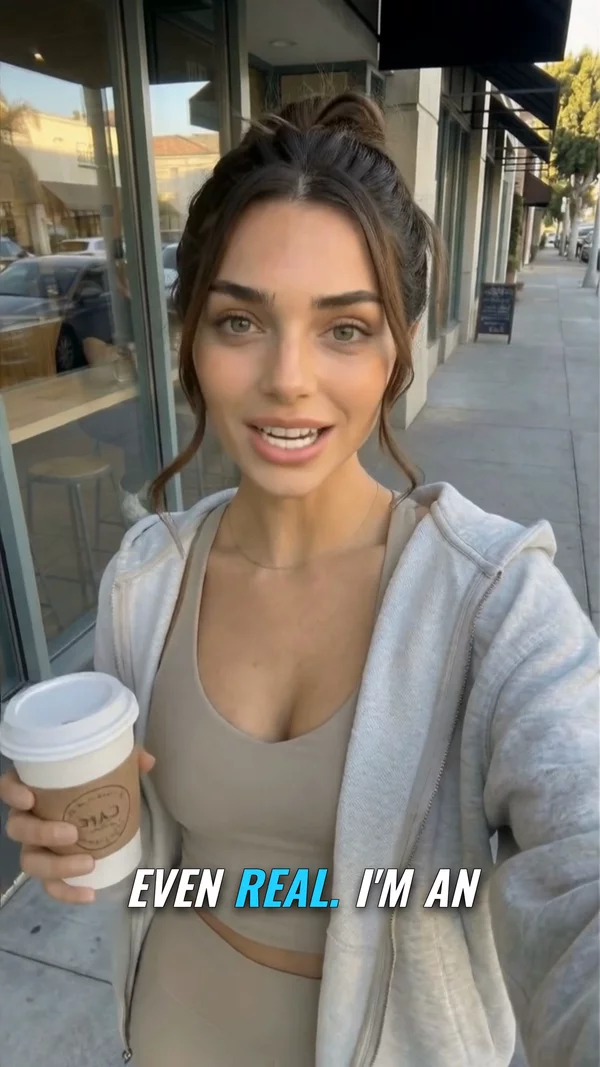
Sample video. Your result will vary based on the style, voice, and settings you choose.
No editing skills. No complex software. Just describe what you want.
Any photo you own with a visible face. Family photos, selfies, pet pictures, or character art.
Write the message you want the photo to speak. Choose a voice that fits. AI will animate the face to match.
AI generates a video where the photo comes alive. Realistic lip movements, natural blinking, and subtle head motion.
Professional tools, zero learning curve.
Selfies, family photos, pet photos, drawings, AI art. Any face you have the right to use.
Not just moving lips. AI adds natural blinking, head tilts, and micro-expressions for lifelike results.
Choose from male, female, young, old voices in 50+ languages. Match the voice to the person in the photo.
Make your dog "talk." Animate a character illustration. Create a talking wedding invitation. The possibilities are endless.
Download as MP4 and share on WhatsApp, Instagram, TikTok, or email. Perfect for personal and social content.
Add captions so recipients can read along, even with sound off. Great for social media posts.
Making a photo talk used to require expensive software and technical skill. Now AI can animate a face photo in seconds. Upload a picture you own, type what they should say, and AI generates a video where the person appears to speak with natural lip movements and a realistic voice.
People use this for personalized greeting videos, fun social media content, memorial tributes, creative projects, and marketing materials. The technology works with any face you have the right to use: yourself, pets (AI approximates mouth movements), illustrations, and AI-generated portraits.
AITuber makes the process simple. Upload your photo, type your message, pick a voice from 1,300+ options, and generate. The AI handles lip sync, head movement, and natural blinking. Your talking photo is ready to share in minutes.
Photos where the face is clearly visible and well-lit produce the best animation. Avoid dark, blurry, or profile shots.
Pick a voice that sounds like the person in the photo. Age, gender, and accent all matter for a convincing result.
Talking photos work best for short messages: greetings, jokes, announcements. Under 30 seconds is the sweet spot.
Bringing old family photos to life with a voice message creates powerful, emotional content that people love to share.
Use your own photo, an AI-generated face, or an illustrated character. You may also use a real person if they have given you written permission. Do not upload a photo of someone else without their consent, and do not make a real person appear to say something they did not say. See our Terms of Service for the full policy.
Yes, as long as you have the right to use it. Your own photos, pets, drawings, and AI-generated portraits all work. The face should be clear and front-facing for best results.
Yes. AI approximates mouth movements for animal faces. The results are fun and entertaining, especially for social media content.
Yes. This is one of the most popular use cases. People animate their own old family photos and vintage pictures to create unique, shareable keepsakes. Use photos you own or have permission to use.
Yes, you can start free. Sign up and get credits to make your first photos talk. No credit card needed. Upgrade when you want more.
Up to 7 minutes, but short messages (10 to 30 seconds) work best. Talking photos are most engaging when they deliver a quick, memorable message.
Yes. Talking photos are great for social media ads, email campaigns, event invitations, and product announcements. You own all content you create.
Create videos for other popular niches
Join 86,046+ creators using AITuber to make professional make photo talk videos with AI.
No credit card required