No X Premium Needed
AITuber runs Grok Imagine through the API, so the model works in your browser without an X subscription. Sign up, type a prompt, and generate.
Run xAI's Grok Imagine right in your browser. Type a prompt or upload an image, pick a clip length, and get a bold, physics-bending video in seconds. No X Premium needed.
Veo 3.1 Lite · 8s · about 24 credits. Your first clip is free.
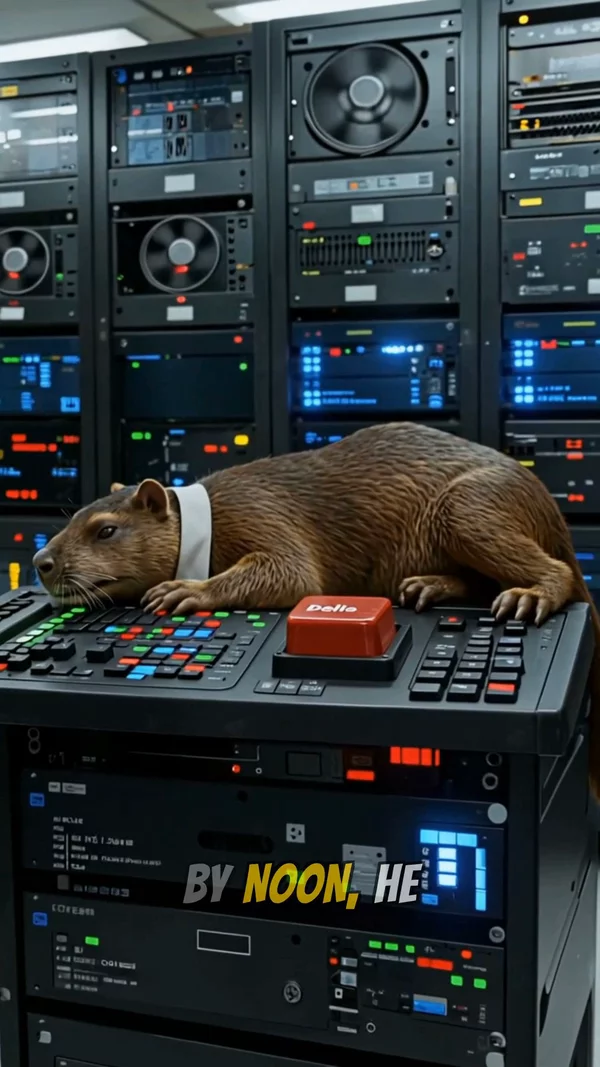
Sample video. Your result will vary based on the style, voice, and settings you choose.
No editing skills. No complex software. Just describe what you want.
Describe the motion you want, or upload a photo for the model to build the clip around. Add up to 7 reference images to keep a character or product consistent.
Choose Grok Imagine from the model picker, then a 4, 6, or 8 second length and a 9:16, 16:9, or 1:1 aspect ratio. The credit cost shows before you generate.
Your clip renders in the browser. Download it as an MP4, or use it as a scene in a full AITuber video with voiceover, captions, and publishing.
Professional tools, zero learning curve.
AITuber runs Grok Imagine through the API, so the model works in your browser without an X subscription. Sign up, type a prompt, and generate.
Describe the action and Grok Imagine generates it. The model shines with bold motion: stunts, chases, crashes, whip pans, and physics pushed past realistic.
Upload a photo and Grok Imagine builds the clip around it. Great for animating products, characters, or stills you already have.
Feed Grok Imagine reference images to keep the same character, product, or look across multiple clips. Consistency is what makes a series feel like a series.
Pick your length with one tap. Three aspect ratios: 9:16 for Shorts and TikTok, 16:9 for YouTube, 1:1 for feeds. Cost shows before you generate.
Veo 3.1 (plus Fast and Lite), Kling 3, and Seedance 2 sit in the same picker. Run the same prompt through two models and keep the better clip.
Grok Imagine costs 14 credits per second at 720p or 10 credits per second at 480p. A 4-second 480p clip is 40 credits, which fits in the 100 free signup credits.
Clips do not have to stay clips. Use them as scenes in a complete AITuber video with AI voiceover, word-synced captions, and direct publishing.
Grok Imagine is xAI's video generation model, the one behind the bold, physics-bending clips all over X. It is known for fast, exaggerated motion: cars that actually drift, characters that really jump, camera moves that whip and orbit instead of slowly panning. Normally you use it inside Grok on X. AITuber runs Grok Imagine through the API, so you can use the model in your browser with no X Premium subscription.
You get the full toolkit. Text to video turns a written prompt into a clip. Image to video builds the clip around a photo you upload. And reference images keep a character, product, or style consistent across clips; Grok supports up to 7 of them. Pick a 4, 6, or 8 second length and a 9:16, 16:9, or 1:1 aspect ratio.
Pricing is per second: 14 credits at 720p or 10 credits at 480p. Signup gives you 100 free credits with no card, which covers a full 4-second Grok clip at 480p (40 credits). The same picker also has Veo 3.1, Kling 3, and Seedance 2, so you can run one prompt through several models and keep the best take. Finished clips download as MP4 or drop straight into a full AITuber video with voiceover and captions.
Grok Imagine rewards action-first prompts. Start with the verb: "a truck backflips over," "the camera crash-zooms into," "a wave slams through." Scenery comes second.
Whip pan, crash zoom, 360 orbit, drone pull-back, handheld chase. Grok responds strongly to explicit camera language, and that is where its clips feel most alive.
This model is at its best past realistic. Sparks, debris, slow-motion impacts, impossible jumps. If you want subtle and grounded, run the same prompt on Veo 3.1 and compare.
If the subject matters, do not describe it; upload it. Your image anchors the clip, and the prompt only has to describe what happens next.
You have 4 to 8 seconds. One stunt, one camera move, one payoff. Chain multiple clips together in a full video if the idea needs more time.
Grok Imagine is xAI's video generation model, known for bold, fast, physics-bending motion. It generates short video clips from text prompts or images. AITuber runs the model through the API so you can use it in your browser.
Not on AITuber. The clip studio runs Grok Imagine through the API, so a free AITuber account is all you need. No X subscription, no waitlist.
Yes. Signup gives you 100 free credits with no card required. Grok Imagine costs 10 credits per second at 480p, so a 4-second clip is 40 credits and fits inside the free credits.
On X you need a paid subscription and you work inside the Grok app. On AITuber you get the same model in a browser studio, plus Veo 3.1, Kling 3, and Seedance 2 in the same picker, and your clips can become full videos with voiceover, captions, and publishing.
Yes. Upload a photo and Grok Imagine builds the clip around it, animating your subject from there. You can also add up to 7 reference images to keep a character or product consistent across clips.
It is priced per second: 14 credits at 720p, 10 credits at 480p. An 8-second 720p clip is 112 credits. Paid plans start at $39/month if you outgrow the free credits.
Clips are 4, 6, or 8 seconds long. You can generate in 9:16 for Shorts, TikTok, and Reels, 16:9 for YouTube, or 1:1 for square feeds.
Pick Grok Imagine for bold, exaggerated motion: stunts, chases, big camera moves, stylized action. Veo 3.1 tends to win on realism and fine detail, and Kling 3 is strong with people and natural movement. They share one picker, so run the same prompt on two models and keep the better clip.
Clips you generate on AITuber are yours to download and publish, including on monetized channels. You are responsible for what you depict, so avoid real people, logos, and brands you do not have rights to. AITuber is an independent product and is not affiliated with xAI.
Yes. Any clip can be used as a scene in a complete AITuber video. Add AI voiceover, word-synced captions, more scenes, and publish straight to YouTube when it is done.
No. Clips download as clean MP4 files with no watermark, ready to post. Pick the aspect ratio that matches your platform before generating so nothing needs cropping afterward.
Create videos for other popular niches
Join 86,046+ creators using AITuber to make professional grok imagine videos with AI.
No credit card required