Spec-Matched 9:16 Output
Output is sized at 720x1280 (or higher resolution that scales to it), matching Spotify's Canvas requirement out of the box.
Spotify Canvas videos drive measurably higher engagement than tracks without one. Generate a spec-matched 9:16 looping video for your release in minutes.
One image for the entire video
JPG, PNG, or WebP up to 10MB
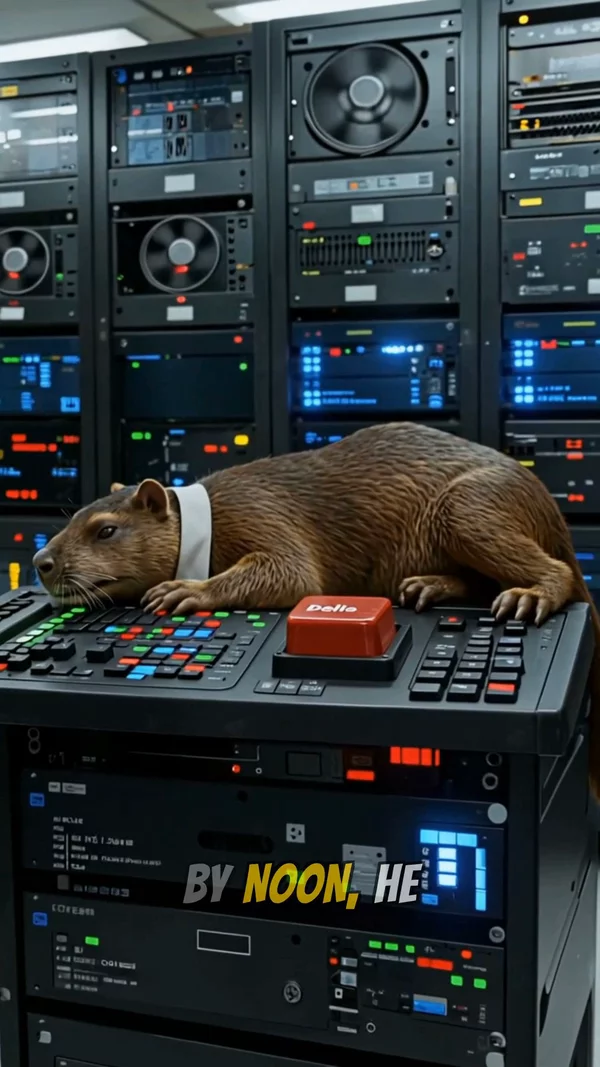
Sample video. Your result will vary based on the style, voice, and settings you choose.
No editing skills. No complex software. Just describe what you want.
Drop in the audio for your release. Trim to the section that will play under the Canvas (typically the hook or strongest melodic moment).
Pick cover image mode for a clean Canvas-style visual. Choose an art style that matches your release aesthetic. Aspect ratio is locked to 9:16 for Spotify.
Download the MP4, trim to the 3 to 8 second window if needed, and upload directly through Spotify for Artists in the Canvas section of your release.
Professional tools, zero learning curve.
Output is sized at 720x1280 (or higher resolution that scales to it), matching Spotify's Canvas requirement out of the box.
Cover image mode generates a single AI image with subtle motion. Ideal for the looping format because the visual stays cohesive across replays.
Spotify Canvas requires 3 to 8 seconds. Trim the output to the spec window before download.
Over 30 art styles available. Match your Canvas to the aesthetic of your release: cinematic for moody tracks, vibrant for upbeat singles, abstract for electronic.
The exported MP4 meets the Canvas spec. Upload it directly in Spotify for Artists under your release in the Canvas section.
The AI listens to your track and generates imagery appropriate to the mood and genre. Moody tracks get moody visuals; energetic tracks get vibrant ones.
No Photoshop, no After Effects, no Premiere. The entire Canvas creation happens in the browser.
Generate multiple Canvas options for the same track and pick the strongest one. Each variation uses a small credit count.
Spotify Canvas is the looping vertical video that plays behind a track in the Spotify mobile app. According to Spotify's own published data, tracks with a Canvas see higher share rates, save rates, and playlist additions compared to tracks without one. The format has become essentially mandatory for any artist serious about discoverability on the platform. The technical spec is narrow: 720x1280 resolution (9:16 vertical), MP4 format, 3 to 8 seconds in length, and the visual must loop seamlessly.
Meeting that spec without a video editor is the challenge. Most artists either pay a designer or skip the Canvas entirely. AITuber's Canvas generator handles the spec automatically. Upload your track (or a short clip of it), choose a visual style, and the AI generates a 9:16 vertical video sized for Spotify. Output can be trimmed to the 3 to 8 second window before download. The resulting MP4 uploads directly through Spotify for Artists without any reformatting.
The visual decision for a Canvas is different from a full music video. Because the format is short and loops, the imagery needs to be atmospheric rather than narrative. A single striking visual that holds attention across multiple plays performs better than a video trying to tell a story in 8 seconds. AITuber's "single cover image" mode is purpose-built for this use case, generating a single AI image with subtle smooth pan and zoom. The result has the directed feel of a designed Canvas without requiring design software.
A Canvas plays under the track on repeat as the listener stares at the album art. A static, atmospheric visual outperforms a busy narrative one because it holds across many plays without fatigue.
Spotify's default Canvas plays under the start of the track. Trim your audio to match the section that will actually loop in the app (usually 0:00 to 0:08).
Cover image mode generates one striking image. This matches the visual language of the most successful Spotify Canvases by major artists.
Spotify Canvas only appears on mobile. After uploading, view your release on the Spotify mobile app to confirm the visual displays correctly and loops cleanly.
A Spotify Canvas is a 3 to 8 second looping vertical video that plays behind a track in the Spotify mobile app. It appears in place of the static album art and creates a more immersive listening experience.
Resolution 720x1280 (9:16 vertical), MP4 format, between 3 and 8 seconds long, and the video should loop seamlessly. File size should be under 8MB for fastest mobile loading.
Spotify's published data shows that tracks with a Canvas see higher rates of shares, saves, and playlist adds compared to tracks without one. Many artists treat Canvas as an essential part of any release.
Yes. Canvas upload happens through Spotify for Artists, which any verified artist can access for free. You need claim and verification of your release before adding a Canvas.
Between 3 and 8 seconds. Shorter (3 to 5 seconds) loops more frequently and tends to feel more focused. Longer (6 to 8 seconds) allows for more visual change but loops less often.
Yes. Spotify's Canvas guidelines do not prohibit AI-generated content. The output from this generator meets the technical spec and is suitable for direct upload.
Cover image mode produces a single visual that naturally loops because the image is static with motion. For more dynamic Canvases, choose AI image mode and trim to the section that loops most cleanly.
Yes. Spotify allows a unique Canvas for every track. Generating multiple variations is faster and cheaper than commissioning multiple videos, making per-track Canvas viable for indie artists.
Create videos for other popular niches
Join 36,733+ creators using AITuber to make professional spotify canvas generator videos with AI.
No credit card required