Complete Videos, Not Clips
Sora generated raw video clips. Most Sora alternatives (Kling, Veo, Runway) do the same. AITuber creates finished videos with script, voiceover, visuals, and captions. Ready to publish without editing.
OpenAI discontinued Sora on March 24, 2026. AITuber creates complete, publish-ready videos with AI scripts, voiceover, visuals, and word-synced captions. No editing needed.
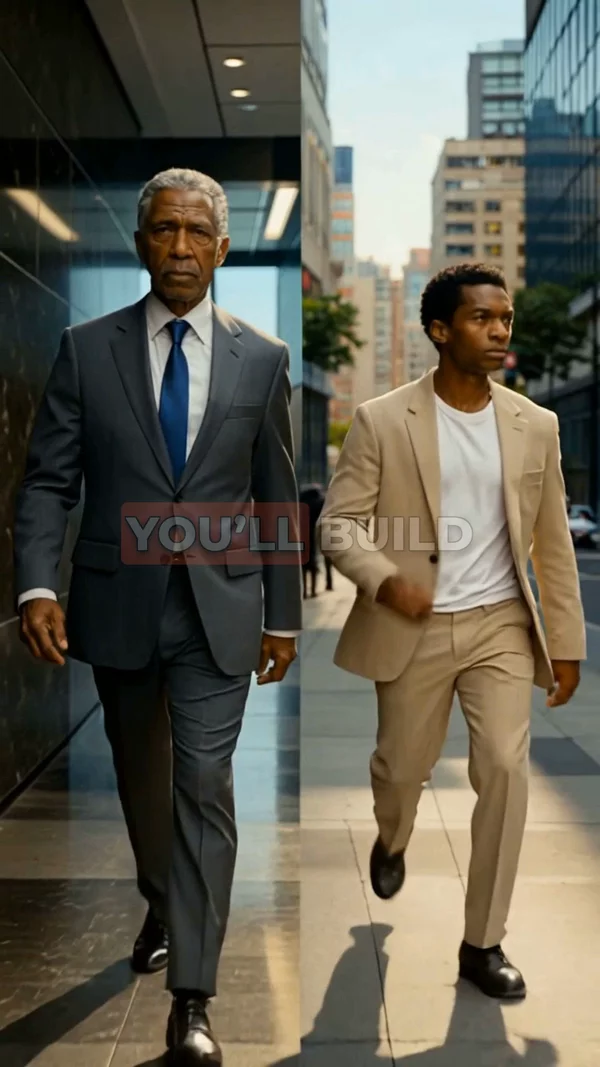
Sample video. Your result will vary based on the style, voice, and settings you choose.
No editing skills. No complex software. Just describe what you want.
Enter a topic, concept, or full script. Be as brief or detailed as you want. AI adapts to your input.
AI writes the script (or uses yours), generates cinematic visuals for each scene, records voiceover, and adds captions. Complete video, not just raw clips.
Preview your finished video and export in HD. Upload to YouTube, TikTok, Instagram, or any platform. No editing required.
Professional tools, zero learning curve.
Sora generated raw video clips. Most Sora alternatives (Kling, Veo, Runway) do the same. AITuber creates finished videos with script, voiceover, visuals, and captions. Ready to publish without editing.
Go from a topic to a finished, publish-ready video in 1-3 minutes. No editing step, no post-production. The output is ready to upload.
Cinematic, photorealistic, anime, 3D cartoon, watercolor, cyberpunk, and more. Each generates a distinct visual identity for your content.
Professional voiceover for every video. Choose from 1,300+ voices in 50+ languages. Match the narrator to your content style and audience.
Captions that highlight each word as it is spoken. Multiple caption presets for different aesthetics. Essential for social media reach.
Enter a topic and AI writes the entire script. Or paste your own. The script engine is optimized for video narration with proper pacing and hooks.
Each video costs a set number of credits based on length and quality. Know your cost before generating. Free credits included on signup to try it out.
Vertical 9:16 for Shorts and TikTok, horizontal 16:9 for YouTube, square 1:1 for Instagram. Choose the format that fits your platform.
OpenAI officially shut down Sora on March 24, 2026. After burning through massive compute resources, facing unresolved IP and licensing disputes, and struggling to find a sustainable business model for consumer video generation, OpenAI decided to discontinue Sora entirely and refocus on enterprise AI products. The Sora.com website, iOS app, and API will all be taken offline.
Sora was always a clip generator, not a video maker. It could produce impressive 5 to 20 second visual clips from text prompts, but those clips were raw material. To turn a Sora clip into a real video, you still needed to write a script, record voiceover, add captions, edit everything together, and handle publishing. Most creators discovered that the "last mile" of production took longer than the clip generation itself.
With Sora gone, every "Sora alternatives" list now points to other clip generators: Kling AI, Google Veo, Runway, Seedance. These tools are capable, but they solve the same narrow problem Sora did. They produce raw clips. You still need the full production pipeline around them.
AITuber is fundamentally different. It is not a clip generator. Enter a topic and AITuber handles the entire pipeline: AI writes the script, generates unique visuals for each scene, records natural voiceover, and adds word-synced captions. The output is a finished, publish-ready video. No editing, no assembly, no post-production. You go from idea to uploaded video in one step.
For creators who relied on Sora or were waiting for access, AITuber replaces the need for a clip generator entirely. Instead of generating a clip and building a video around it, you get the complete video from the start.
In the post-Sora era, cinematic is the visual style that delivers the most professional results. Dramatic lighting, wide shots, and rich color grading give your videos a premium feel.
Instead of "video about space," try "cinematic journey through the rings of Saturn with close-up shots of ice particles." More detail gives AI more to work with.
Let AI write the first draft, then refine the script manually before generating the video. This hybrid approach produces the best results consistently.
Create a few 30-second videos first to understand how visual styles and voice options work. Then scale up to longer content once you know your preferences.
Consistency in visual style helps build brand recognition. Pick one style and use it for all your videos. Viewers will recognize your content in their feed.
OpenAI officially shut down Sora on March 24, 2026. The decision came after mounting compute costs, unresolved IP and licensing issues, and a strategic shift toward enterprise products. Sora.com and the iOS app will both be taken offline. The API is also being discontinued.
No. OpenAI confirmed Sora is being permanently discontinued. The iOS app, API, and Sora.com will all shut down. Disney also pulled its planned $1 billion investment in OpenAI following the decision.
Kling AI, Google Veo, Runway, and Seedance are all capable AI video clip generators. But they produce raw clips, not finished videos. You still need to write a script, record voiceover, add captions, and edit everything together. AITuber handles the entire pipeline from idea to published video.
No. AITuber is a completely separate product. You do not need access to Sora, OpenAI, or any other platform. Sign up and start creating videos right away.
Any topic that works as narrated content. The most popular categories are educational explainers, factual deep dives, storytelling, and motivational content. AITuber excels at longer narrated videos with structure and pacing, not short visual clips.
AITuber generates high-quality AI images for each scene rather than continuous video clips. The visuals are detailed, stylistically consistent, and paired with professional voiceover and captions for a polished final product.
Sign up free, enter a video topic, choose a visual style and voice, and click Generate. Your first complete video will be ready in minutes. No credit card required.
Signing up is free and includes credits to create your first videos. If you want to produce more, paid plans start at $9/month. Each video costs a predictable number of credits based on length and quality, so there are no surprises.
Yes. AITuber supports multiple export formats. Creators building faceless YouTube channels typically use widescreen 16:9. Those posting Shorts or TikToks use vertical 9:16. Instagram creators use square 1:1. You pick the format at export time.
Most videos generate in 1-3 minutes. A 60-second video typically takes about 2 minutes. The output is a complete video ready to upload, not a raw clip that needs editing.
Yes. If you already have a script from ChatGPT, Google Docs, or another source, paste it in. AITuber handles the visual generation, voiceover recording, and caption syncing. You focus on the words, AI handles the production.
AITuber offers 29 distinct styles. Cinematic is the most popular choice for creators looking for high-quality AI video because it produces dramatic, detailed frames. Other options include photorealistic, anime, cyberpunk, dark gothic, watercolor, and more.
Create videos for other popular niches
Join 37,281+ creators using AITuber to make professional sora alternative videos with AI.
No credit card required