Broad Format Support
Upload MP3, WAV, M4A, AAC, or OGG files up to 50MB. Most common audio formats from any DAW, phone recording, or streaming rip are accepted.
Already have a song? Upload it and AI will analyze the audio, extract lyrics, detect the mood, and generate a music video with perfectly synchronized visuals.
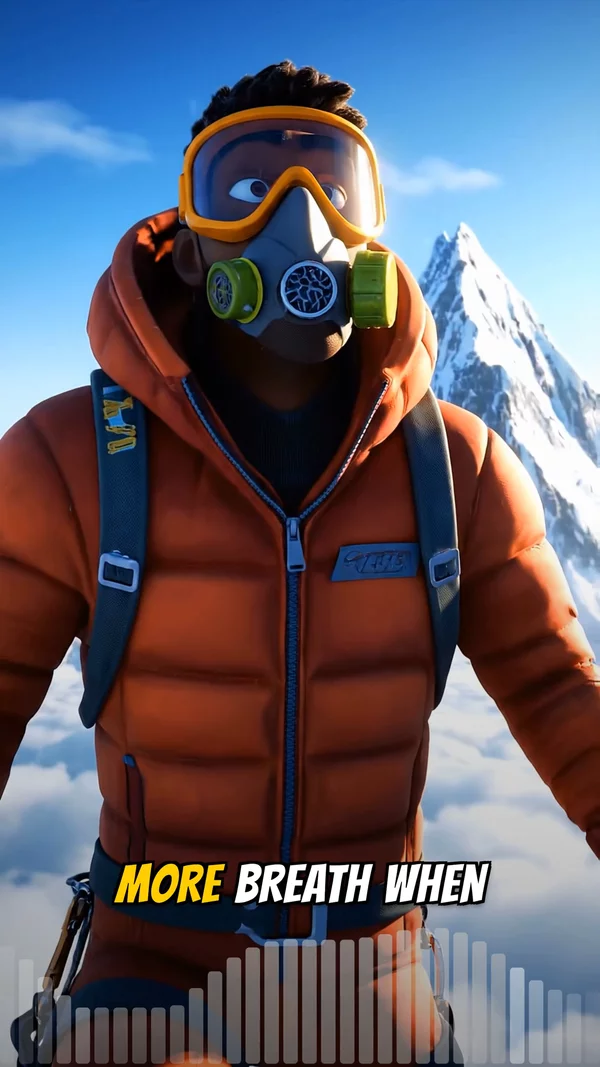
Sample video. Your result will vary based on the style, voice, and settings you choose.
No editing skills. No complex software. Just describe what you want.
Drag and drop your MP3, WAV, M4A, AAC, or OGG file. Files up to 50MB and 10 minutes are supported. Use the built-in trimmer to select your preferred section.
The AI detects tempo, mood, and energy. Vocals are isolated and transcribed with word-level timing. Visual prompts are generated based on the audio characteristics.
AI generates visuals matched to your audio, overlays synced lyrics, and renders the final video. Download as MP4 or publish directly to your connected platforms.
Professional tools, zero learning curve.
Upload MP3, WAV, M4A, AAC, or OGG files up to 50MB. Most common audio formats from any DAW, phone recording, or streaming rip are accepted.
Select the exact section of your track you want to visualize. Drag start and end handles to trim without leaving your browser.
AI analyzes waveform characteristics to determine the emotional tone of your track. Visuals automatically match the energy level and mood.
Source separation technology isolates vocals from instrumentation. This enables precise lyric extraction even from dense mixes.
Whisper AI transcribes every word with millisecond timing. Lyrics appear on screen at the exact moment they are sung.
Choose AI images with Ken Burns motion, full AI video clips, or a static cover image. Each mode suits different content goals.
Visuals shift with your track. Intense sections get bold, vibrant imagery while quiet moments receive softer, moodier compositions.
Export in 9:16, 16:9, or 1:1 and publish to YouTube, TikTok, or Instagram directly from AITuber without downloading first.
You have a finished song. Maybe you recorded it at home, produced it in your DAW, or downloaded it from a collaboration. Now you need a music video, but hiring a videographer or learning After Effects is not on the agenda. That is exactly the gap Song to Video AI fills.
The upload-first workflow is what makes this tool different from a generic AI video generator. You are not starting from a text prompt and hoping the AI interprets your creative vision. You are starting from a finished piece of audio that already has mood, tempo, energy, and lyrics baked into it. The AI reads all of that directly from the waveform. It runs a multi-stage analysis pipeline: first detecting tempo and energy from the audio signal, then isolating vocals using source separation, and finally extracting lyrics with word-level timestamps via Whisper. All of that data feeds into the visual generation engine, which produces images or video clips that reflect the emotional arc of your track.
The result is a music video where the visuals actually feel connected to the audio rather than randomly paired. High-energy sections get vibrant, dynamic imagery. Quiet breakdowns shift to softer, moodier compositions. A key change in the bridge triggers a visual palette shift. Lyrics appear on screen precisely when they are sung. The system handles songs with complex structures, including tempo changes, instrumental solos, and spoken-word interludes.
This workflow is particularly valuable for producers who release music through DistroKid, TuneCore, or similar distributors and need visual content to promote each release. Instead of spending hours learning motion graphics, you upload the same MP3 you sent to your distributor and receive a publish-ready music video in under ten minutes. Export in 9:16 for TikTok and Shorts, 16:9 for YouTube, or 1:1 for Instagram. The audio you already perfected stays exactly as it is.
Use the final mastered file, not a rough mix. Higher quality audio produces more accurate vocal detection and better mood analysis, leading to visuals that feel more connected to your track.
Use the built-in trimmer to isolate the catchiest 30 to 60 seconds. Post the short clip on TikTok and Reels to drive listeners to the full track on Spotify.
Upload once, then generate a quick draft in both visual modes. AI images creates a stylized, lyric-focused feel. AI video produces cinematic motion. The right choice depends on your song.
Create two versions of the same clip with different visual styles and post both. Whichever gets more engagement tells you which aesthetic resonates with your audience.
MP3, WAV, M4A, AAC, and OGG files are all supported. Maximum file size is 50MB and maximum duration is 10 minutes.
Yes. The AI analyzes tempo, energy, and tonal characteristics to determine mood. Visuals are generated to match the emotional arc of your track.
Instrumental tracks work perfectly. The AI skips lyric captions and focuses on generating visuals that match the mood and rhythm of your music.
You need to upload a file you own. AITuber does not download from streaming services. If you created the song, export it from your DAW or music tool.
After uploading, you see a waveform preview. Drag the start and end handles to select your desired section. The trimmed audio is what gets used for the video.
The AI generates visuals based on detected mood, energy, and content. Results are impressively accurate, though you can regenerate any section if you want a different look.
Yes. Upload any audio with speech and the AI generates matching visuals with synced captions. It works for podcasts, audiobooks, voiceovers, and spoken word performances.
Audio analysis takes about 1 minute. Visual generation takes 3 to 5 minutes depending on quality settings. Most videos are ready in under 7 minutes total.
You can regenerate the video with different visual settings. Choose a different art style, visual mode, or quality tier and generate a new version.
You can convert as many songs as your credit balance allows. Each conversion costs credits based on video length and quality settings.
Create videos for other popular niches
Join 33,452+ creators using AITuber to make professional song to video ai videos with AI.
No credit card required