1,300+ AI Voices in 50+ Languages
Match the tone of your script with the right voice. Professional for business, warm for education, dramatic for stories. Every language supported.
Paste your script and get a complete video with AI-generated visuals, professional voiceover, and word-synced captions in minutes.
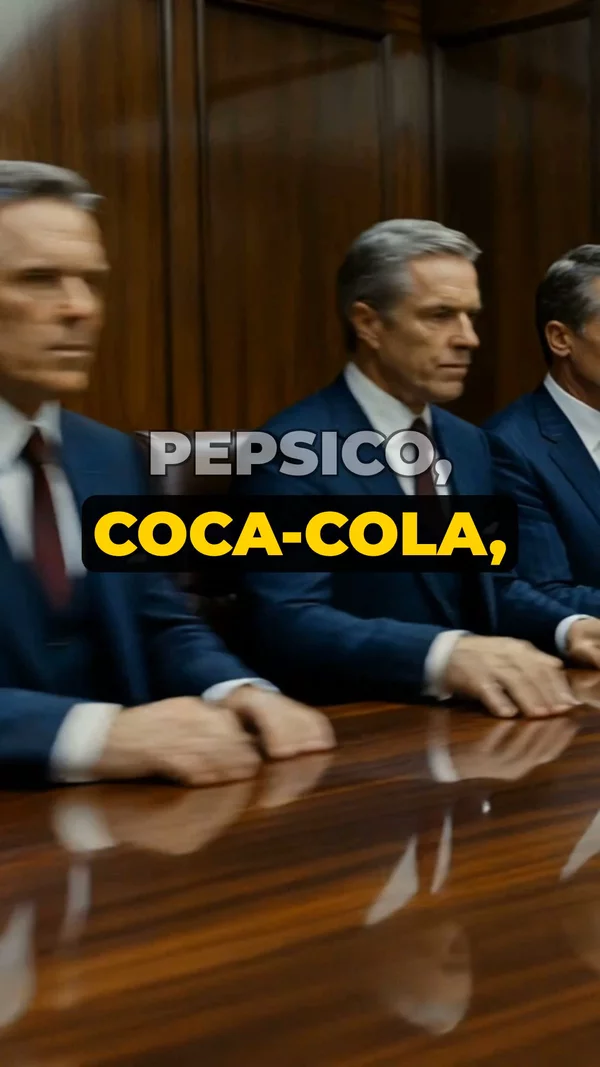
Sample video. Your result will vary based on the style, voice, and settings you choose.
No editing skills. No complex software. Just describe what you want.
Drop in your script, blog post, article, or any written content. AI analyzes the text and breaks it into visual scenes.
AI generates matching visuals for each scene, records voiceover from your script, and adds perfectly synced captions.
Download in 4K or publish directly to YouTube. Your script is now a complete, polished video.
Professional tools, zero learning curve.
Match the tone of your script with the right voice. Professional for business, warm for education, dramatic for stories. Every language supported.
Cinematic for dramatic scripts, minimalist for business content, watercolor for creative writing. AI picks visuals that match your words.
Every word from your script appears on screen in perfect sync with the voiceover. Multiple caption styles to match your brand and content type.
AI reads your script and automatically breaks it into logical scenes. Each scene gets unique visuals that illustrate the specific content being narrated.
Blog posts, articles, course scripts, marketing copy, newsletter content, social media threads. Any written content becomes a video.
Vertical for Shorts/TikTok/Reels, horizontal for YouTube, square for Instagram feed. Export up to 4K. One script, any format you need.
Connect your channel and publish the finished video straight from AITuber. Set titles, descriptions, and tags without leaving the app.
AI can improve your script before generating the video. Tighten pacing, add hooks, or restructure for better visual storytelling.
You have the script. Now you need the video. Traditionally, turning a written script into a finished video meant hours of editing, sourcing stock footage, recording voiceover, and syncing captions manually. That workflow kept many writers, educators, and marketers stuck in text-only formats.
AITuber's Script to Video AI eliminates that entire process. Paste your script, choose a voice and visual style, and AI does everything else. It analyzes your text to generate scene-by-scene visuals, records natural voiceover with perfect pacing, and adds word-synced captions that boost engagement and accessibility.
This tool is built for anyone who already has written content and wants to transform it into video. Blog posts, newsletter content, course material, marketing copy, or creative scripts. If you can write it, AITuber can turn it into a professional video in minutes, not hours.
AI generates one visual per scene. Short, clear sentences create more dynamic visuals and better pacing than long, complex paragraphs.
Mention specific imagery: "a vast ocean," "a crowded city street." AI uses these cues to generate more relevant and striking visuals.
At natural speaking pace, 300 words is roughly 60 seconds. Perfect for YouTube Shorts, TikTok, and Reels formats.
Your first sentence becomes the first thing viewers see and hear. Make it count. Start with a surprising fact, bold claim, or direct question.
Script to video AI is a tool that converts written scripts into complete videos. You paste your text, and AI generates matching visuals, voiceover narration, and captions automatically.
Any written content works. Blog posts, articles, marketing scripts, educational content, newsletter text, social media threads, creative writing, and presentation scripts.
No. Just paste plain text. AI automatically detects scene breaks, pacing, and visual cues from your writing. You can also manually add scene breaks if you prefer.
AI analyzes each section of your script and generates images that illustrate the content. If your script mentions "a busy city," AI creates a visual of an urban scene.
Yes. After generation, you can adjust scenes, swap visuals, change the voice, or modify captions before exporting the final video.
There is no strict limit. For YouTube Shorts, aim for 200-300 words (60 seconds). For longer videos, scripts can be several thousand words. AI adjusts accordingly.
Yes. AITuber uses advanced text-to-speech with natural pacing, emphasis, and tone. Choose from 1,300+ voices to find the perfect match for your content.
Currently, AITuber generates voiceover from your script using AI voices. This ensures perfect sync with captions and visuals.
Vertical (9:16) for YouTube Shorts, TikTok, and Reels. Horizontal (16:9) for standard YouTube. Square (1:1) for Instagram feed. Export up to 4K resolution.
Yes. Sign up free and get credits to convert your first scripts into videos. No credit card required. Paid plans unlock more credits for regular creators.
Create videos for other popular niches
Join 37,281+ creators using AITuber to make professional script to video videos with AI.
No credit card required