Word-Level Lyric Sync
Lyric timing is extracted from the audio at the word level using AI transcription. Captions appear precisely as each word is sung, not on fixed intervals.
Already have the song? Upload it and AI times every word to the vocals for you. Free credits, no watermark, and the finished MP4 downloads straight to your machine.
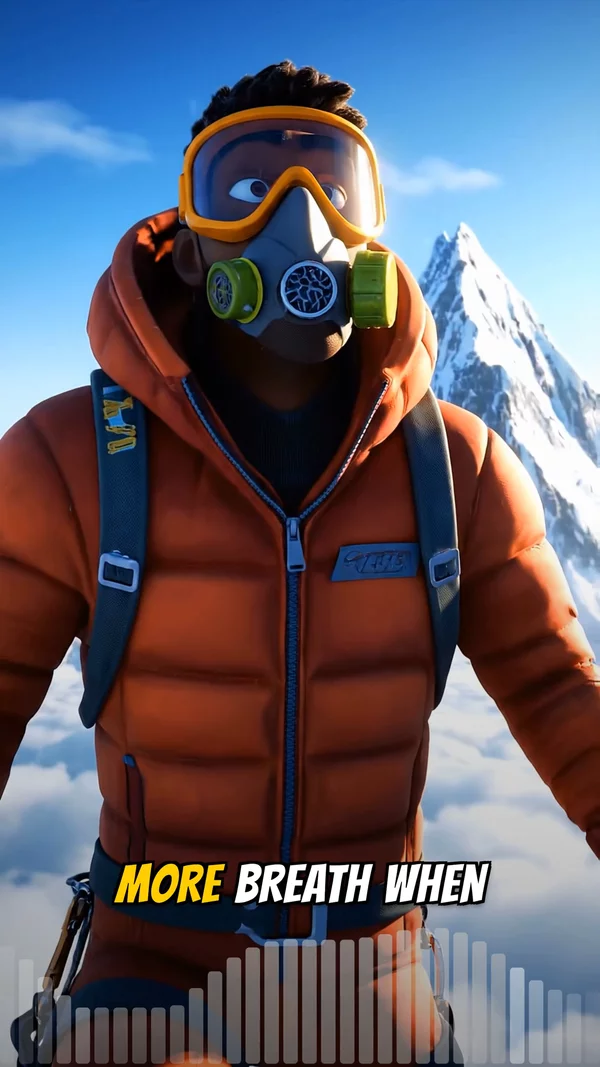
Sample video. Your result will vary based on the style, voice, and settings you choose.
No editing skills. No complex software. Just describe what you want.
Create a free account in seconds. Upload MP3, WAV, M4A, AAC, or OGG up to 50MB and 10 minutes. Trim to the section you want in the lyric video.
Choose a typography style (bold, outline, glow, minimal), caption position, and visual background style (cinematic, abstract, watercolor, photorealistic, more).
AI transcribes the lyrics with word-level timing, generates the visual background, and renders the lyric video as MP4. Download and publish to YouTube.
Professional tools, zero learning curve.
Lyric timing is extracted from the audio at the word level using AI transcription. Captions appear precisely as each word is sung, not on fixed intervals.
Signup grants free credits with no payment method required. Enough to generate multiple full lyric videos before committing to a paid tier.
Pick from heavy bold, clean outline, neon glow, and stripped-back minimal caption treatments. Tune font, color, weight, and on-screen placement so the words match the song mood.
Visual backgrounds generated by AI to match the song. Multiple art styles available so each release can have a distinct visual identity.
For most tracks, the platform extracts the lyrics automatically. You can review and edit the transcription before final render if any words need correction.
9:16 for Shorts and TikTok lyric clips, 16:9 for full YouTube lyric video, 1:1 for Instagram lyric posts.
Place captions at the top, center, or bottom of the frame. Bottom placement is conventional for full lyric videos; center works for kinetic typography style.
The caption system highlights words as they are sung, producing a karaoke effect. This is the convention that modern lyric videos follow.
You have a song and you want the words on screen. That is the job this page does. Upload the audio, and AI times every word to the vocal, then hands you a finished lyric video with no manual timing step.
Lyric videos are the cheapest visual format in music. They cost less than a full music video, and they keep earning views long after release week, because YouTube surfaces them for "[song name] lyrics" searches. For an artist on a small promo budget, that is the most reliable return on screen.
Historically, producing a lyric video required either learning a kinetic typography animation tool or paying a designer $200 to $1,000 per song. Neither option scales for an indie artist releasing multiple singles a year. AITuber's free lyric video maker removes both barriers. Upload your track, and AI extracts the lyrics with word-level timing. The system overlays synced captions with your choice of typography style and visual background. New accounts receive starter credits with no card required, enough to generate complete lyric videos before any payment.
The lyric sync accuracy is the differentiator. Tools that rely on manual lyric timing or fixed-interval captions produce videos where the words consistently appear slightly before or after the actual vocal. AITuber pulls word boundaries directly from the audio, so captions appear as each word is sung. The result feels closer to karaoke than to subtitles, which is the threshold modern lyric videos need to meet to compete on YouTube.
Upload the song, and AI reads the words off the vocal track and times them to the singing. There is no typing and no dragging captions onto a timeline.
The whole flow is four steps:
A three or four minute song is usually finished in 5 to 10 minutes. Signing up grants 100 free credits and asks for no card, which covers a full lyric video.
This tool builds a new lyric video from your audio. It does not burn captions onto an MP4 you already made.
So pick by what you are starting with:
Most people searching this only have a track and a plan to post it on YouTube. That is the case this page handles end to end. Our guide to making a lyric video walks through both routes.
Automatic lyric sync detects the vocals in your audio and times each word to the singing, with no manual transcription.
Manual timing is the other way to do it. You type each line into an editor, then drag it along the timeline until it lands on the beat. For a three-minute song that is roughly an hour of work per release.
Fixed-interval captions are the cheap middle option, and they drift. Words land slightly before or after the vocal, and a verse in, the whole video feels off.
Transcription is strong but not perfect on names, slang, and heavily stylised delivery. You see the transcript before the final render, so you can fix a word before it is burned in.
Each of these is a fair thing to check before you upload a track. Here are the plain answers.
Make the lyric video first. It costs less, it renders faster, and it captures the "[song name] lyrics" searches that send steady traffic on YouTube long after release week.
A full music video is worth it for a lead single, where the visuals are part of the story. For album tracks and back catalogue, a lyric video is the better return.
Many artists ship both from the same upload: a 16:9 lyric video for YouTube, and a 9:16 chorus cut for Shorts and Reels. See the AI lyric video generator for the paid-tier feature set, or the karaoke video maker if you want the sing-along treatment.
MP3, WAV, M4A, AAC, and OGG, up to 50MB and 10 minutes per file. Trim to a section in the browser before you render if you only want the chorus.
The audio is never re-encoded. Whatever you upload is what plays in the exported MP4. If your track lives on another platform, SoundCloud to MP4 and the audio to video converter cover the same pipeline from a different starting point.
AI lyric detection is accurate but not perfect, especially on names, slang, or stylized pronunciation. The platform shows the transcription before final render. Fix any wrong words at this step.
Heavy bold typography overwhelms quiet, emotional songs. For ballads and acoustic material, minimal or outline styles let the lyrics breathe alongside the music.
Full lyric videos are 16:9 for YouTube. For short-form social, trim to just the chorus and render at 9:16. These chorus clips perform exceptionally well for music discovery.
The "(Lyric Video)" tag in the YouTube title captures the highest-volume lyric search queries. This is the convention listeners expect.
Yes. Upload the audio and AI reads the words off the vocal track, then times each one to the singing. You never type a lyric or drag a caption onto the timeline. The finished lyric video exports as an MP4.
Not to that exact file. This tool builds a new lyric video from your audio; it does not burn captions onto an MP4 you already have. If you need the words on your own footage, use a caption editor such as CapCut, VEED, or Kapwing.
Automatically. Word timing is read from the audio itself, so each word highlights exactly as it is sung. That is the karaoke effect listeners expect. Fixed-interval captions, which most cheap tools produce, drift out of time within a verse.
Yes. Exports carry no watermark and no branding on any plan, including the free one. A free render is publishable to YouTube as-is.
You need a free account, which takes a few seconds and no card. The account is where your renders are saved. There is no trial clock and no payment step before your first video.
There is no YouTube link import. Upload the audio for the song, make the lyric video here, then upload that MP4 to YouTube. Title it "[Song Name] - [Artist] (Lyric Video)" to catch the lyric searches.
Yes. The finished lyric video downloads as an MP4 you own. Pick 16:9 for YouTube, 9:16 for Shorts and Reels, or 1:1 for Instagram before you export.
AITuber is the best free lyric video maker because the free credits cover full videos with no watermark, and the lyrics sync themselves from the audio. Free alternatives like Kapwing or Canva templates need you to type and time every line by hand. Here you upload the song and the karaoke-style sync is automatic.
Yes. Free credits are granted on signup with no card requested. Those credits are enough to produce several full lyric videos. Beyond that, billing is pay-per-credit; no monthly subscription is enforced.
Automatic transcription is generally accurate but not perfect. Names, slang, fast lyrics, and stylized pronunciation can cause errors. The platform displays the transcription before final render so you can review and correct any wrong words.
Compressed MP3 and AAC, lossless WAV, Apple M4A, and open-source OGG. Per-file ceiling is 50MB at 10 minutes max. Long tracks can be trimmed in the browser before upload.
Yes. Multiple typography styles (bold, outline, glow, minimal) and positions (top, center, bottom). The caption style should match the song mood: bold for upbeat tracks, minimal for ballads.
The lyric video includes an AI-generated visual background that responds to the song. You can also choose cover image mode for a clean static background, or AI video mode for motion behind the lyrics.
Yes. AI transcription supports many languages. Transcription accuracy varies by language; English, Spanish, French, German, and Portuguese tend to be most accurate.
A typical 3 to 4 minute song renders in 5 to 10 minutes including transcription, visual generation, and final assembly. Static cover backgrounds render fastest; AI video backgrounds take the longest.
Create videos for other popular niches
Join 94,136+ creators using AITuber to make professional free lyric video maker videos with AI.
No credit card required