1,300+ AI Voices in 50+ Languages
Give your characters distinct voices. Energetic for heroes, deep for villains, cheerful for narrators. Cartoon content thrives on expressive voiceover.
Turn any idea into a colorful cartoon video with AI-generated visuals, natural voiceover, and word-synced captions.
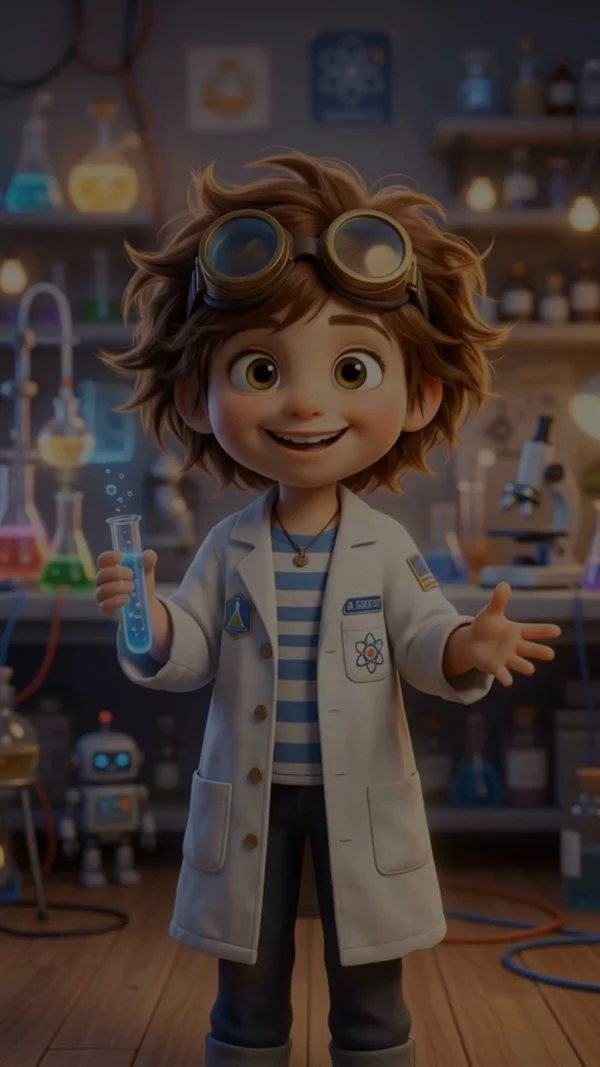
Sample video. Your result will vary based on the style, voice, and settings you choose.
No editing skills. No complex software. Just describe what you want.
Enter a story idea, character description, or script. AI can also generate a full cartoon script from a simple concept.
AI generates cartoon-style visuals for each scene, records voiceover narration, and adds word-synced captions. Choose from 3D, comic, or storybook styles.
Download your cartoon video in HD. Ready for YouTube, TikTok, Instagram, or any platform. No editing needed.
Professional tools, zero learning curve.
Give your characters distinct voices. Energetic for heroes, deep for villains, cheerful for narrators. Cartoon content thrives on expressive voiceover.
3D Cartoon for Pixar-inspired looks, Comic Book for bold outlines, Claymation for stop-motion feel, Storybook for illustrated warmth. Each creates a distinct visual identity.
Captions highlight each word in time with narration. Essential for accessibility and for viewers watching without sound. Choose from playful, bold, or minimal caption styles.
Describe a character or scenario and AI writes a full cartoon script with dialogue, scene descriptions, and narrative arc. Perfect for story-driven content.
Create 15-second TikTok cartoons or 10-minute YouTube episodes. The format scales to any length your story needs.
Export and publish cartoon videos directly to your YouTube channel. Set titles, descriptions, and thumbnails without leaving AITuber.
Schedule daily or weekly cartoon episodes. AI generates new videos on your topic and can publish them automatically to your channel.
AI-generated cartoon scenes come alive with smooth pan and zoom effects. Each frame moves naturally, keeping viewers engaged throughout the video.
Cartoon videos are one of the most engaging content formats online, with animated storytelling channels pulling millions of views across YouTube, TikTok, and Instagram. The style is timeless, instantly recognizable, and appeals to audiences of every age group. But traditional animation requires weeks of work, expensive software, and specialized skills.
AITuber's AI Cartoon Video Generator changes that by letting you create cartoon-style videos from a simple text description. Choose from multiple animation styles including 3D Cartoon (Pixar-inspired), Comic Book, Claymation, and Storybook. AI generates unique cartoon visuals for each scene, adds natural voiceover narration, and syncs captions word-by-word.
Whether you are building a kids' educational channel, creating animated explainers for your brand, or telling stories in a fun visual format, you can produce cartoon videos in minutes instead of months. No animation experience required. Just describe your idea and let AI handle the art, voice, and editing.
The Pixar-inspired 3D style resonates with the widest audience. It feels premium and familiar. Reserve Comic Book style for action-heavy content.
When writing your prompt, describe character appearances specifically. "A tall orange cat with a detective hat" generates better visuals than "a cat character."
Cartoon Shorts perform best between 30 seconds and 2 minutes. Long enough for a mini-story, short enough for replays. Save longer stories for standard YouTube.
Channels with recurring characters build loyal audiences faster. Use the same character descriptions across videos so AI generates consistent-looking protagonists.
Mention sounds in your script like "thunder crashes" or "door creaks open." While AI generates voiceover, these descriptions create more vivid scenes.
It is a tool that creates cartoon-style videos from text descriptions using artificial intelligence. You describe your story or idea, and AI generates cartoon visuals, voiceover, and captions automatically.
AITuber offers multiple cartoon styles: 3D Cartoon (Pixar-inspired), Comic Book (bold outlines and colors), Claymation (stop-motion look), Storybook (warm illustrated style), and more. Each creates a unique visual feel.
Yes. Describe your characters in the script and AI generates matching visuals. While characters may vary slightly between scenes, the overall style and described features remain consistent.
No. AITuber handles all the visual generation, voiceover recording, caption syncing, and video assembly. You just provide the story or idea.
Absolutely. Many creators use AI cartoon generators for children's educational content, bedtime stories, and entertaining shorts. The 3D Cartoon and Storybook styles work especially well for young audiences.
From 15-second Shorts to 10+ minute episodes. For YouTube Shorts and TikTok, keep under 60 seconds. For standard YouTube, aim for 3-8 minutes.
You get free credits when you sign up. No credit card required. Create your first cartoon videos free, then upgrade to a paid plan for more credits.
Vertical 9:16 for Shorts, TikTok, and Reels. Horizontal 16:9 for standard YouTube. Square 1:1 for Instagram feed. Export up to 4K resolution.
AITuber focuses on voiceover narration and captions. You can add background music after exporting using any video editor, or keep the clean voiceover format.
Sign up free, describe your cartoon idea or paste a script, choose a cartoon visual style, select a voice, and click Generate. Your cartoon video will be ready in minutes.
Create videos for other popular niches
Join 37,281+ creators using AITuber to make professional cartoon videos with AI.
No credit card required