Best Faceless YouTube Automation Tools (2026)
The best faceless YouTube automation tools for 2026, tested and ranked. Real pricing, auto-posting, and honest pros and cons for hands-off channels.

The best faceless YouTube automation tool for most creators is AITuber, because it builds a faceless channel and posts to YouTube on a schedule, instead of asking you to write, make, and upload each video by hand. Below are five tools built for faceless channels, tested and ranked, with real pricing and honest tradeoffs. If you are new to this, start with our guide on how to build a faceless YouTube channel.
TL;DR: the top picks
- AITuber: best overall for a faceless channel on autopilot. It goes from idea to posted video with word-synced captions and no watermark, and every feature is on every plan.
- AutoShorts.ai: best for a fully hands-off niche series that posts itself.
- Revid.ai: best for mass-producing viral faceless shorts.
- Crayo: best for trending Reddit-story and fake-text formats.
- Vadoo AI: best for access to the most AI video models in one app.
| Tool | Best for | Auto-posts to YouTube? |
|---|---|---|
| AITuber | Faceless channel on autopilot | Yes |
| AutoShorts.ai | Fully hands-off niche series | Yes |
| Revid.ai | Viral faceless shorts at volume | Yes |
| Crayo | Reddit-story and fake-text shorts | Yes |
| Vadoo AI | Widest set of AI video models | Yes |
What makes a great faceless YouTube automation tool
Faceless automation is a narrow job. You are not just making one video; you are running a channel where a tool writes, makes, and posts on repeat. These are the things that actually matter.
- Full pipeline from one idea. The tool should write the script, pick a voice, generate visuals, and add captions, so you never open an editor. If you still have to stitch clips together, it is not real automation.
- Auto-posting to YouTube on a schedule. Posting often is what grows a channel. A tool that publishes for you turns a hobby into a system.
- Faceless niche templates. Starting from a proven format (Reddit stories, history, psychology, and so on) beats a blank page, and it keeps a channel looking consistent.
- A consistent channel look. Random visuals every video make a channel feel spammy. The best tools lock a style so every upload looks like it belongs.
- No watermark and clean output. A visible logo makes a video look recycled, and recycled-looking content gets less reach.
- Fair credits. Credits should count on the video you keep, not on every edit, preview, or failed job.
The best faceless YouTube automation tools
1. AITuber
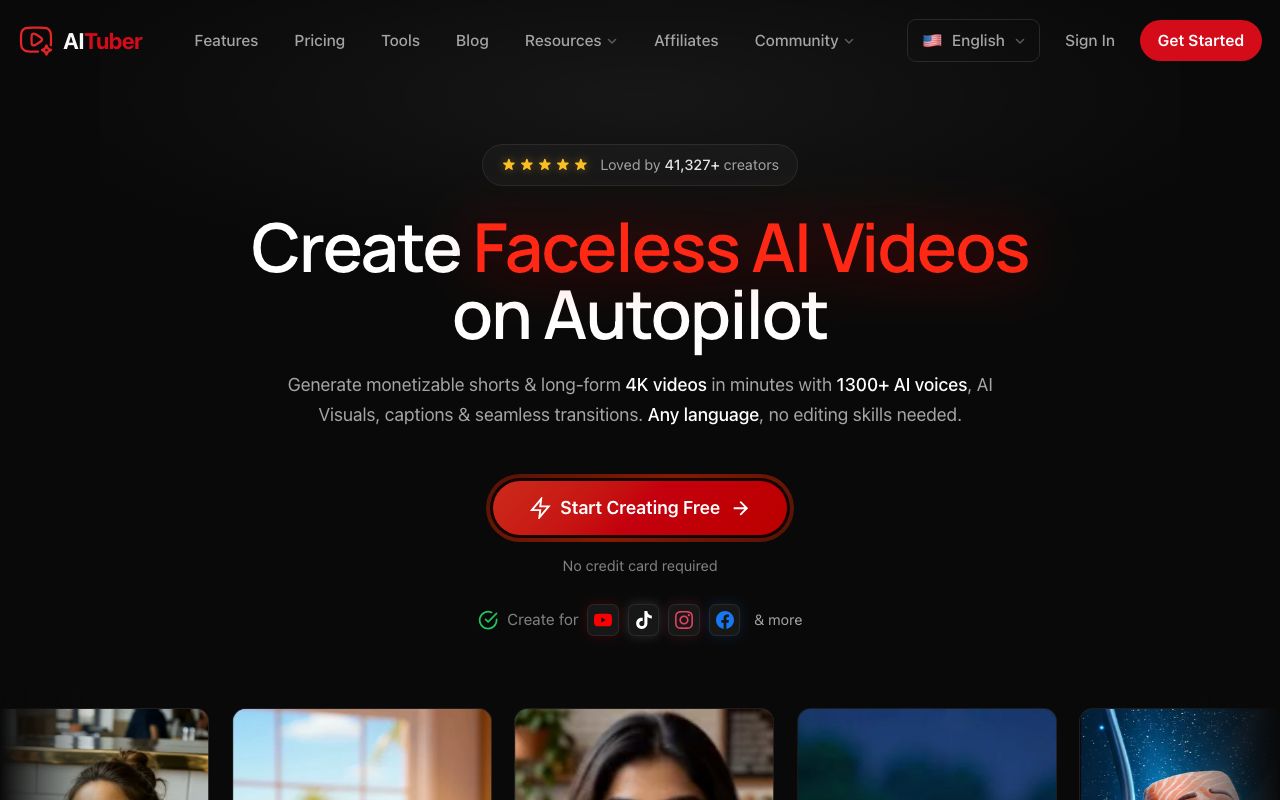
AITuber is the strongest faceless YouTube automation tool for anyone building a channel rather than making one video at a time. You give it an idea, and it writes the script, generates a matching voice and visuals, adds word-synced captions, and posts the finished video to your YouTube on a schedule. It runs on Autopilot: connect your YouTube channel in one click, set your niche, voice, style, and posting times once, then let it publish. Autopilot finds ideas, writes the script, makes the video, and uploads it straight to YouTube on your cadence, so you never open the upload page. Credits are spent on the video you keep, not on every edit and preview, and a failed generation is auto-refunded.
Key features
- Idea to finished video: script, AI voiceover, visuals, and word-synced captions in one flow
- One-click YouTube integration: connect your channel and let Autopilot publish straight to YouTube on a schedule
- Faceless niche templates (Reddit stories, true crime, mythology, history, psychology, and more)
- Autopilot that writes, makes, and posts to YouTube, TikTok, Instagram, Facebook, Threads, and X on a schedule
- 1,300+ AI voices across 140+ languages, and a consistent channel look across styles
- Shorts and long-form output, no watermark, with every template, voice, and style included on every paid plan
Pros
- One idea becomes a complete, posted video, not a script you narrate and upload
- No feature gating: even the entry plan includes all templates, voices, styles, and auto-posting
- Credits are not spent on edits or previews, and failed jobs are refunded
- Unused credits never expire, so a slow month is not money wasted
- A free tier (100 credits) lets you make your first video before paying
Cons
- Focused on faceless short-form and channel automation, not long-form talking-head editing
- Autopilot is most useful if you actually run a channel on a schedule
Pricing: Free to start with 100 credits (no card). Paid plans are Creator $39/mo (2,500 credits, 1 channel on autopilot), Pro $69/mo (5,000 credits, 2 channels), Studio $129/mo (10,000 credits, 4 channels), and Agency $249/mo (20,000 credits, unlimited channels). Every plan includes all templates, voices, styles, and auto-posting. See the full pricing.
Best for: creators who want to run a faceless YouTube channel end to end, from idea to posted video. For a step-by-step setup, see the YouTube Automation Tool page.
2. AutoShorts.ai
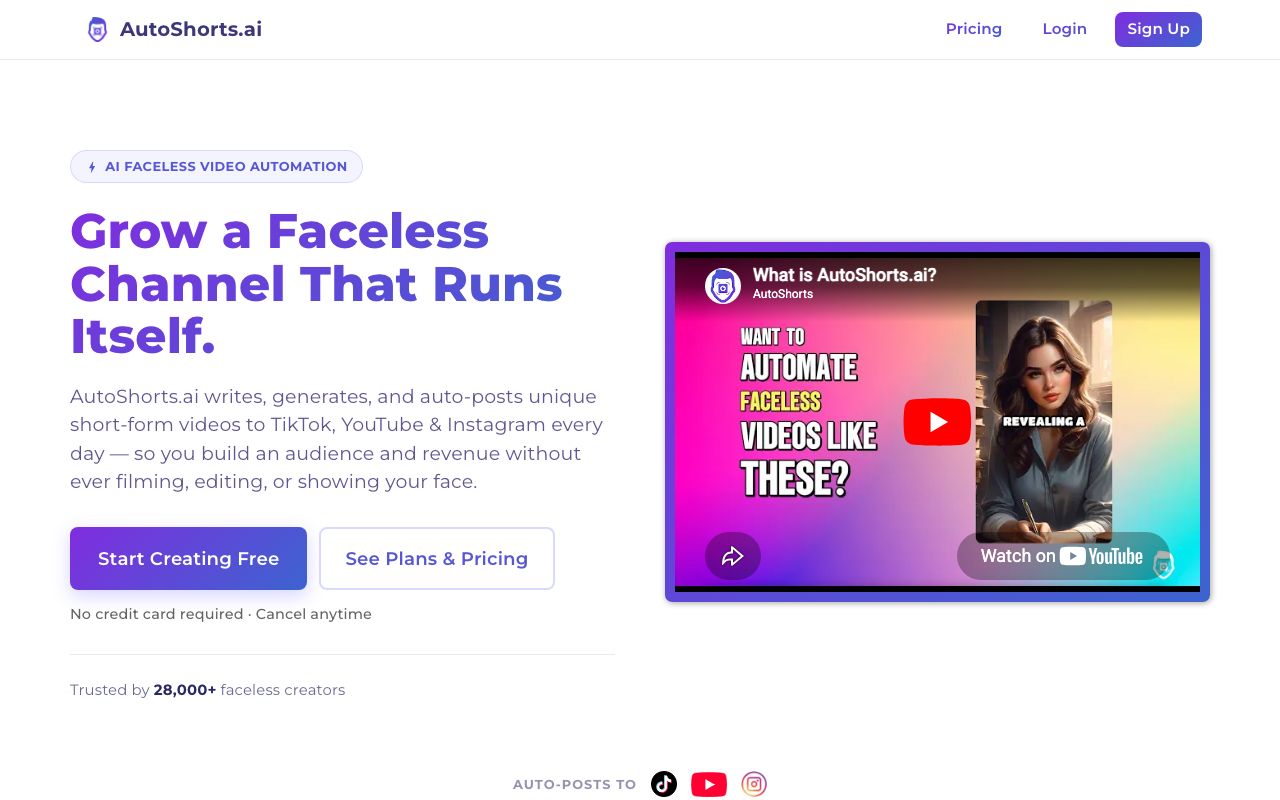
AutoShorts.ai is the most hands-off tool here. You pick a niche, and it generates and auto-posts a faceless video series to YouTube Shorts, TikTok, and Instagram Reels on a schedule. It handles both the making step and the manual uploading that most tools leave you with, so it is close to true set-and-forget.
Key features
- Fully automated faceless series from a niche or topic
- Auto-posting to YouTube Shorts, TikTok, and Instagram Reels
- Script, AI visuals, AI voice, and voice cloning, all hands-off
Pros
- True set-and-forget automation
- Cheap entry point
- Purpose-built for faceless channels
Cons
- A thin third-party review footprint, so quality is harder to verify
- Output can be templated and repetitive, with limited fine editing
Pricing: Free plan with 1 video. Paid plans are commonly around $19/mo for about 3 posts a week, $39/mo for daily posting, and $69/mo for twice-daily posting. Confirm current pricing on their site.
Best for: people who want a fully automated faceless channel with the least possible touch.
3. Revid.ai
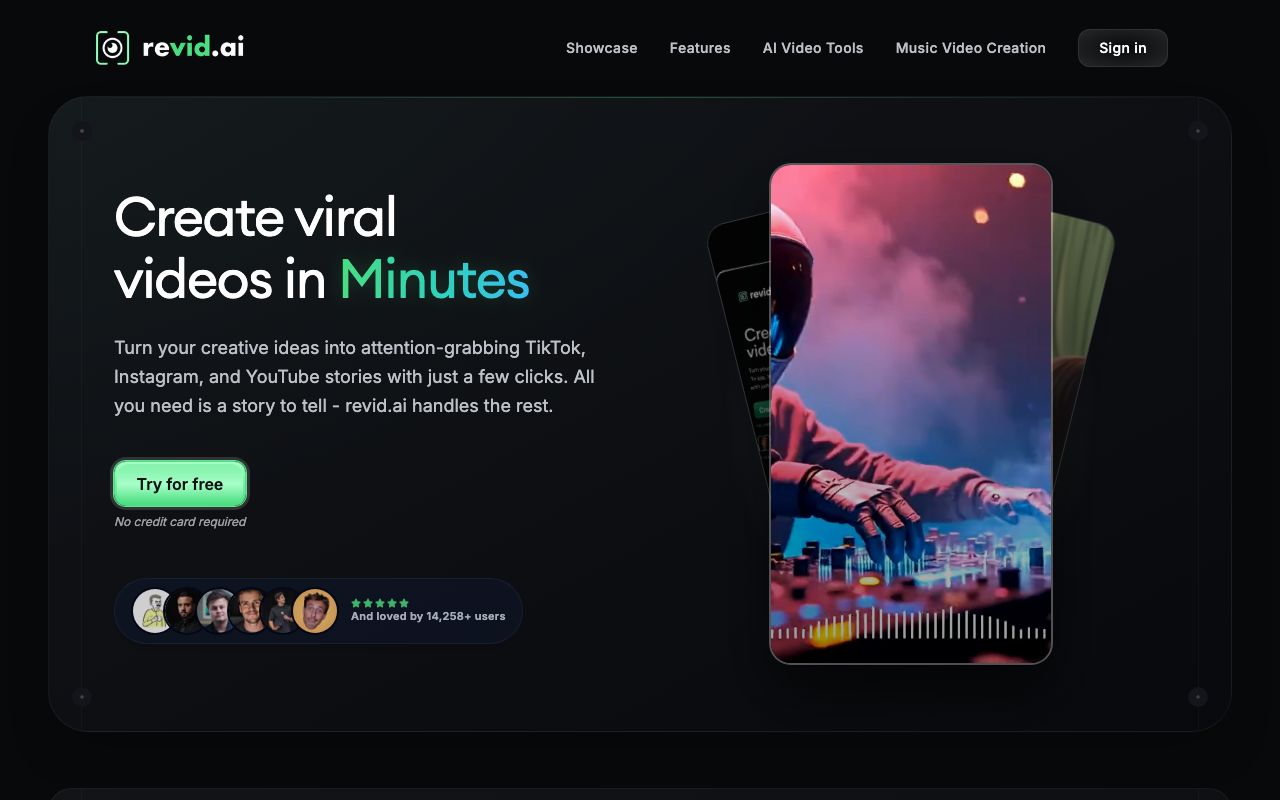
Revid.ai is built for viral faceless shorts at volume. You give it a prompt, script, or link, and it makes a vertical short with an AI voice, captions, and templated visuals, then it can auto-post to YouTube, TikTok, and Instagram. Its Auto-Mode workers generate and post on a schedule, which is the piece most narration tools leave to you.
Key features
- Prompt, script, or URL to a faceless short
- Auto-Mode workers that generate and post on a schedule
- Voiceovers in 70+ languages and a large viral-video remix library
Pros
- Purpose-built for faceless short-form
- Strong auto-generate-and-post automation
- Fast, simple workflow
Cons
- Recurring reliability complaints: credits lost on failed generations, characters that drift between scenes, and freezes
- Demo samples can look better than the real output
Pricing: Paid plans start around $32 to $39/mo, rising to about $166 to $199/mo for more credits, voice cloning, and more auto workers. Annual billing gives two months free. There is no permanent free plan, only a limited trial. Verify current pricing on their site.
User reviews: Trustpilot sentiment is mixed, around 3.x out of 5, with a high share of 1-star reviews citing reliability (Trustpilot).
Best for: solo creators mass-producing faceless content on autopilot.
4. Crayo
Crayo is built for the trending short formats that do well on faceless channels: Reddit-story videos, fake-text conversations, and split-screen gameplay clips. You pick a format, and it assembles the script, AI voice, captions, and background clip, then it can publish to your connected accounts. It is a focused tool, not a general video maker, and that focus is its strength for those specific styles.
Key features
- Templates for Reddit stories, fake-text, and split-screen formats
- AI voice, auto-captions, and background gameplay footage
- Publishing to connected social accounts
Pros
- Excellent at the exact formats that trend on faceless channels
- Fast to make a batch of shorts in one style
- Simple, beginner-friendly workflow
Cons
- No free plan, and reviewers report charges continuing after cancellation, so check billing terms carefully
- Narrow by design: less useful outside its core trending formats
Pricing (verified July 2026): No free plan. Hobby is $13/mo billed annually ($160/year), Clipper is $27/mo billed annually ($327/year), and Pro is $55/mo billed annually ($664/year). Month-to-month billing runs about 30% higher. Plans meter workflow credits, export time, voiceover minutes, and AI images.
Best for: creators leaning into Reddit-story and fake-text short formats.
5. Vadoo AI
Vadoo AI is the pick when you want the widest set of models under one roof. It bundles many AI video and image generators into a single credit system, makes faceless shorts from a text prompt, and offers an Auto Mode that posts to YouTube, TikTok, and Instagram on a schedule. It is more of a broad creative engine than a single-purpose faceless builder.
Key features
- Text prompt to a faceless short with captions, B-roll, and voiceover
- Many AI video and image models unified under one credit system
- Auto Mode for scheduled, hands-off publishing
Pros
- Access to a large number of models and effects in one place
- Auto-posting on a schedule across platforms
- Captions in 50+ languages
Cons
- The broad toolset can feel busy if you only want a simple faceless series
- No standing free plan, so you commit to a paid tier to run it for real
Pricing (verified July 2026): No permanent free plan. Starter is $19/mo ($13/mo billed annually) with 1,500 credits and auto-posts 3 times a week, Pro is $39/mo ($27/mo billed annually) with 3,500 credits and daily posting, and Advance is $99/mo with 10,000 credits and twice-daily posting.
Best for: creators who want many AI models and effects in one automated app.
How faceless automation tools differ from general YouTube automation tools
This guide is about a narrow category: tools that build and post a faceless channel with little or no manual work. “YouTube automation tools” is a wider bucket that also includes scheduling apps (they only handle uploads) and SEO tools (they only help with keywords and titles). Those do not create video, so they are not faceless automation on their own.
If you want the full landscape across all three categories, see our guide to the best YouTube automation tools. If your goal is specifically a hands-off faceless channel, the five tools above are the ones built for that job. For the concept and strategy behind it, read our YouTube automation guide.
Quick comparison of all tools
| Tool | Starting price | Free tier | Auto-post to YouTube | Best for |
|---|---|---|---|---|
| AITuber | Free, then $39/mo | Yes, 100 credits | Yes | Faceless channel on autopilot |
| AutoShorts.ai | About $19/mo | Paused since July 2026 | Yes | Fully hands-off series |
| Revid.ai | About $32/mo | Trial only | Yes | Viral shorts at volume |
| Crayo | $13/mo (annual) | No | Yes | Reddit-story formats |
| Vadoo AI | $13/mo (annual) | No | Yes | Widest set of models |
Prices are the lowest paid tier as of July 2026 and are rounded; some vendors render pricing dynamically or run promos, so check each site for the exact figure. AutoShorts.ai still lists a $0 free plan, but has suspended it. Its FAQ blames bot abuse and says the plan will come back. Checked 31 July 2026.
Can you automate a faceless channel for free?
You can start for free, but very few tools let you run a channel for free long-term.
- AITuber gives you 100 free credits with no card, enough to make your first faceless video and see the full idea-to-posted flow before you pay.
- AutoShorts.ai lists a free plan capped at 1 video, but has suspended it. Its FAQ says the pause is down to bot abuse and the plan will return.
- Revid.ai, Crayo, and Vadoo AI do not offer a standing free plan, only trials or paid tiers.
The catch with free tiers is usually a watermark or a hard cap. A visible logo makes a video look recycled, and recycled-looking content gets less reach. If you plan to post for real, use a free tier to test quality, then move to a plan that exports clean, no-watermark video.
How to choose the right faceless automation tool
- Do you want a channel that runs itself end to end? If yes, AITuber. It takes an idea to a posted video on autopilot, with every feature included and credits spent only on output.
- Do you want the least possible touch? If yes, AutoShorts.ai is built around set-and-forget series.
- Do you want to mass-produce viral shorts? If yes, Revid.ai focuses on volume and auto-posting, with the reliability caveats above in mind.
- Do you lean into Reddit-story or fake-text formats? If yes, Crayo is tuned for exactly those.
- Do you want the most models and effects in one app? If yes, Vadoo AI bundles many under one system.
Use-case cheat sheet
- Scenario: You want to launch a faceless niche channel and post daily without touching an editor. Best choice: AITuber. It goes from idea to posted video on autopilot, with all features included.
- Scenario: You want a series that posts itself with the least setup. Best choice: AutoShorts.ai.
- Scenario: You want to mass-produce viral shorts and post them automatically. Best choice: Revid.ai, with the reliability caveats above in mind.
- Scenario: You focus on Reddit-story or fake-text videos. Best choice: Crayo.
- Scenario: You want many AI models and effects in one place. Best choice: Vadoo AI.
- Scenario: You keep running out of credits from editing and re-generating. Best choice: AITuber. Credits count only on the video you keep, and failed jobs are refunded.
Frequently Asked Questions
Basics
What is the best faceless YouTube automation tool?
For a faceless channel you want to run long-term, AITuber is the best because it takes an idea all the way to a posted video, includes every feature on every plan, and does not spend credits while you edit. For the least possible touch, AutoShorts.ai is strong. For high-volume shorts, Revid.ai is worth a trial. For Reddit-story formats, Crayo is tuned for exactly that.
Can AI really run a faceless channel by itself?
Mostly, yes. Tools like AITuber write the script, pick a voice, generate visuals, add word-synced captions, and post the finished video to your YouTube on a schedule. You still choose the niche and review videos before they go out, which is what keeps quality high, but the making and uploading are automated.
Do I need to show my face or record my voice?
No. These tools are built for faceless channels, so an AI voice narrates and AI visuals or stock clips fill the screen. You never appear on camera and never record audio unless you want to clone your own voice.
Pricing and free options
What is the cheapest way to automate a faceless channel?
AITuber is free to start with 100 credits and $39/mo after that. AutoShorts.ai and Crayo start around $13 to $19/mo depending on billing. Always check the cost per video and the posting cap, not just the monthly price, since credits and limits change the real cost.
Is there a free faceless automation tool?
AITuber gives 100 free credits with no card. AutoShorts.ai lists a free plan capped at 1 video, but has suspended it as of 31 July 2026. Revid.ai, Crayo, and Vadoo AI do not offer a standing free plan. Use a free tier to test quality, then move to a paid plan for clean, no-watermark output.
YouTube-specific
Will a faceless automated channel get demonetized?
YouTube does not ban AI or faceless content, but its policies target low-effort, mass-produced, and reused content. Original videos with a real script, a clear niche, and value for the viewer are fine. Thin channels that repost the same template with no added value are the ones that struggle. Add a point of view, disclose AI where YouTube asks, and keep quality up.
Do these tools post to YouTube for me?
AITuber, AutoShorts.ai, Revid.ai, Crayo, and Vadoo AI can all publish to YouTube after you link your account once. AITuber, AutoShorts.ai, Revid.ai, and Vadoo AI also schedule posts so a series runs on autopilot.
Comparisons
AITuber vs AutoShorts.ai for a faceless channel: which is better?
Both automate a faceless channel end to end. AITuber includes every feature on every plan, spends credits only on final output, refunds failed jobs, and gives you a large voice and style library for a consistent channel look. AutoShorts.ai is the most hands-off and cheap to start, but has a thinner review footprint and less fine control. For a channel you want to grow long-term, AITuber is the safer pick; for pure set-and-forget, AutoShorts.ai is worth a look.
Is a faceless automation tool the same as a general YouTube automation tool?
No. Faceless automation tools build and post video for you. General “YouTube automation tools” lists also include scheduling apps and SEO tools that do not make video. See our best YouTube automation tools guide for the wider set, and this guide for the faceless builders specifically.
How we researched this: we compared five tools against the faceless-automation criteria above, using public sources (each vendor’s live pricing page and named review platforms like Trustpilot), checked in July 2026, combined with our own hands-on testing. AITuber is a product we build, so we have flagged every place we compare it to another tool and kept the competitor pricing and ratings accurate as of the date above. Some vendors render pricing dynamically, so treat dollar figures as approximate and confirm on each site. Prices and plans change often; check each vendor’s site for the latest.